Captions AI Review 2025: Is it the Best Online Video Editor?
Discover if Captions AI is the best video editor in 2025. Explore its features, pricing, pros, cons, and top alternatives to see if it’s right for you.
Captions AI is a powerful AI video editor that promises to make content creation effortless by automating captions, translations, and video enhancements. With features like real-time transcription, AI-driven editing, and social media optimization, it aims to help creators, businesses, and marketers produce high-quality videos with minimal effort.
We’ve been testing Captions AI, and if you edit videos regularly, this might catch your interest. Editing can be time-consuming, and perfecting captions and effects takes effort.
A tool that automates these tasks while keeping videos polished and engaging could be a game-changer. Captions AI claims to do just that—helping you edit faster without compromising quality.
But with so many AI-powered tools making similar promises, does Captions AI actually stand out? We put it to the test. Here’s what we found.
{{cta-richtext}}
Quick Summary of Captions AI
.table_component caption { caption-side: top; text-align: left; }
.table_component th { border: 1px solid #dededf; background-color: #eceff1; color: #000000; padding: 5px; }
.table_component td { border: 1px solid #dededf; background-color: #ffffff; color: #000000; padding: 5px; }
</tr>
<tr>
<td>Auto Captions</td>
<td>✅ Real-time, accurate subtitles in 29 languages.</td>
</tr>
<tr>
<td>Scene Detection</td>
<td>✅ Identifies key moments and creates short clips. </td>
</tr>
<tr>
<td>Translation</td>
<td>❌ Useful but struggles with nuances & dialects. </td>
</tr>
<tr>
<td>Free Plan</td>
<td>✅ $0/month with basic editing & captions. </td>
</tr>
<tr>
<td>Pricing (Starting Plan)</td>
<td>✅ Pro Plan – $9.99/month. </td>
</tr>
<tr>
<td>Pros</td>
<td>✅ AI automation, accessibility features, branding.</td>
</tr>
<tr>
<td>Cons</td>
<td>❌ High processing demand, limited creative control.</td>
</tr>
<tr>
<td>Platform Support</td>
<td>✅ Optimized for TikTok, Instagram, YouTube.</td>
</tr>
</tbody>| Feature | Captions AI Details |
|---|---|
| AI Editing | ✅ Automates trimming, cutting, and transitions. |
What is Captions AI?
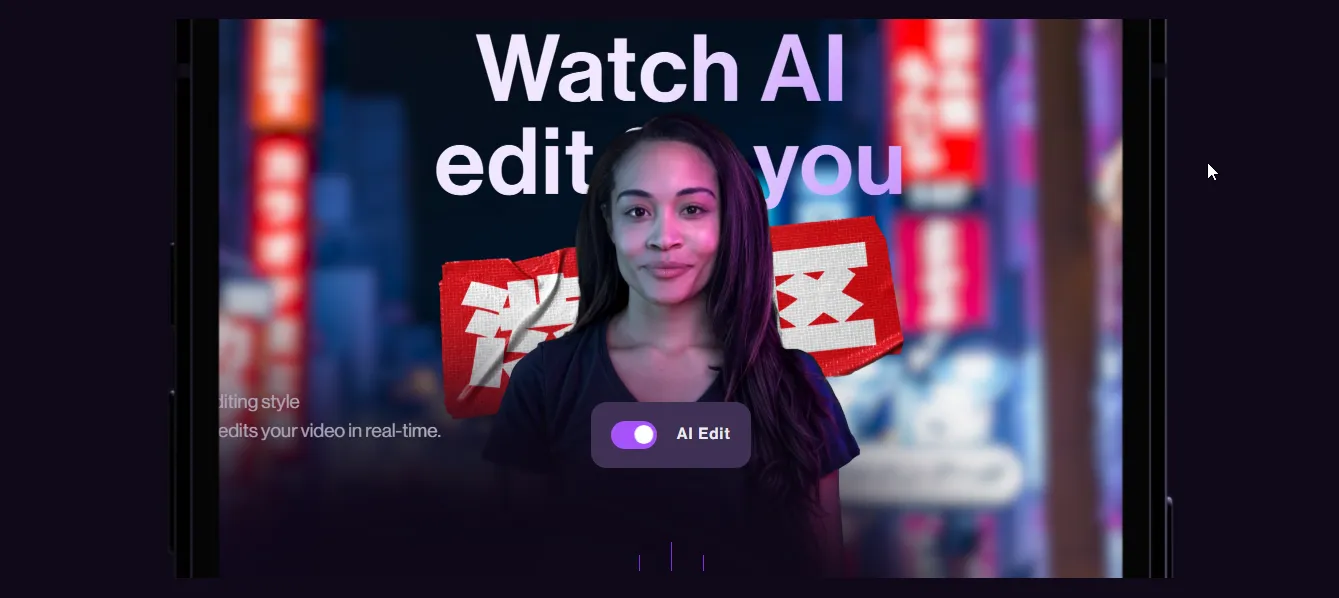
Captions AI is a video editing tool that automates the process of adding captions, translating speech, and enhancing videos for better engagement. It uses AI to edit videos by editing style, generate real-time subtitles, sync text with speech, and optimize videos for different platforms.
Users can upload a video and let the AI handle transcription, formatting, and multilingual support. Designed for creators, businesses, and marketers, Captions AI aims to simplify video editing by reducing the need for manual adjustments and making content more accessible.
Captions AI First Impressions
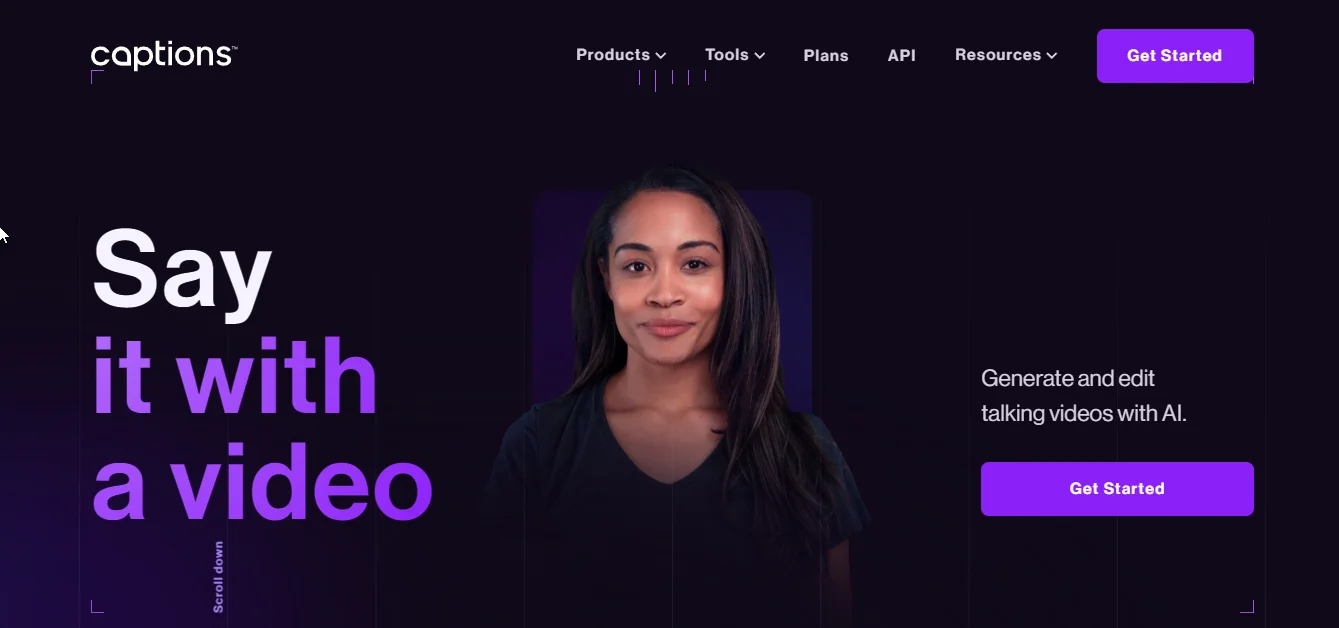
When we landed on the Captions AI homepage, it was clear that the platform is designed for seamless AI-powered video editing. The clean and modern interface immediately highlights its core features—automatic captions, AI-driven editing, and multilingual support—making it clear that the tool is built to simplify content creation.
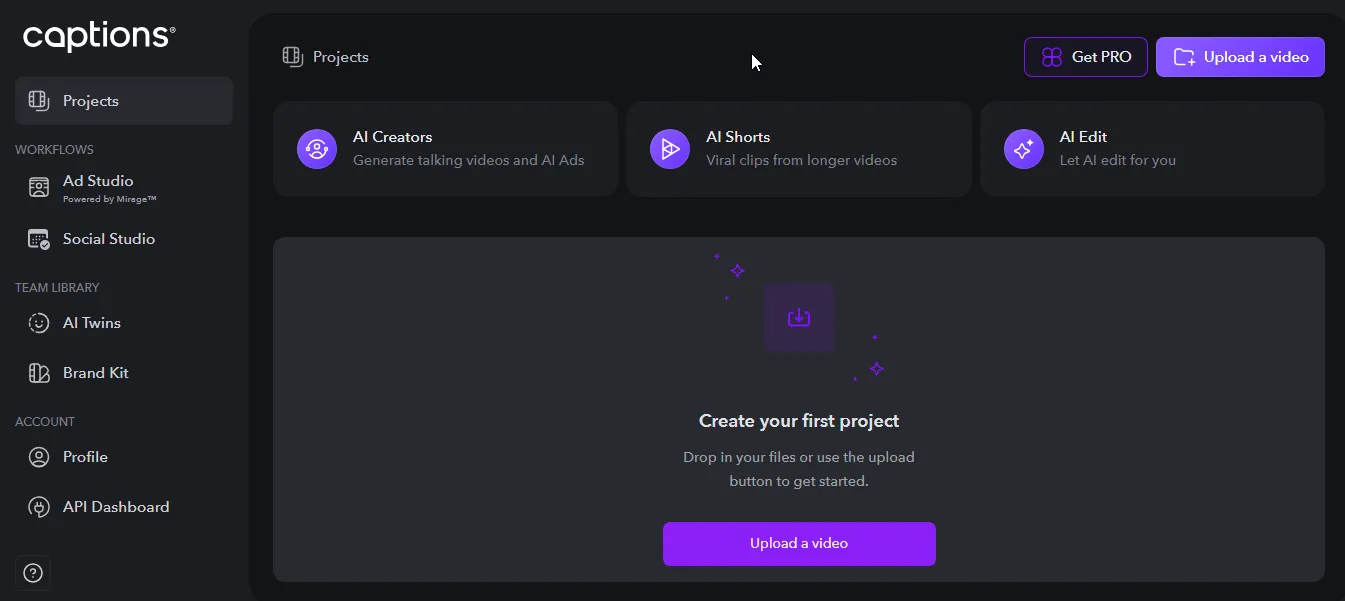
Inside the app, the sleek design continues. The dashboard is well-organized, featuring three key tabs for quick edits at the top. The center workspace is dedicated to video uploads, while the left panel houses tools and the brand kit.
The layout is designed for maximum space efficiency, keeping everything accessible without feeling cluttered or overwhelming.
{{cta-richtext}}
Captions AI Features
- AI-Powered Video Editing: The platform automates trimming, cutting, and transitions, making video editing faster and more efficient.
- Automatic Captions and Subtitles: This feature ensures real-time, accurate captions, improving accessibility and engagement without manual effort.
- Scene Detection: This feature caught our attention—it identifies key moments and automatically creates short, shareable clips.
- Noise and Silence Removal: The platform enhances audio quality by eliminating background noise and silent gaps for a cleaner, more professional sound.
- Customizable Branding: This feature allows you to apply your brand’s logos, colors, and fonts, ensuring visual consistency across all videos.
- Cross-Platform Support: Captions AI optimizes videos for various social media formats, making content creation seamless across TikTok, Instagram, and YouTube.
Captions AI Pros
Captions AI brings a range of powerful features that optimize video editing, from real-time AI captions to seamless multilingual dubbing, making content creation effortless and efficient.
“I like that the AI captures my words perfectly and on beat with songs”
- Christopher, review from Capterra
- Content Scalability: When we tried the platform, we noticed how it automates repetitive video editing tasks, making it easy to scale content production while saving time and resources.
- Accessibility Features: We really liked that Captions AI offers subtitles and even sign language avatars, ensuring videos are more inclusive for diverse audiences, including those with hearing impairments.
- Custom Branding Options: What stood out was the seamless ability to add logos, watermarks, and custom graphics, making it effortless to maintain brand consistency across all content.
- Advanced Analytics: When we tested it, we found detailed insights into viewer engagement and video performance, helping creators fine-tune their content strategies for better reach.
- Seamless Integration: The seamless integration is a huge plus, allowing users to effortlessly connect with major video platforms and social media channels, simplifying the entire content creation workflow.
Captions AI Cons
While Captions AI offers impressive automation, it does come with certain limitations, including high processing demands and restrictions on creative flexibility.
“It's initially a lot of fun but the excitement quickly wears off when the processing is painfully slow, and the allowed video length is unusably short.”
- Antoni, review from Trustpilot
- High Processing Demand: When we tested real-time AI editing, we noticed it requires significant computational resources, which may not be ideal for users with lower-end systems.
- Limited Creative Control: While the AI automation speeds up editing, it can sometimes restrict personalized styles, making it harder for creators to add a unique touch to their videos.
- Translation Inaccuracies: The auto-translation feature is useful, but the AI struggles with capturing subtle nuances and regional dialects, which may affect accuracy in multilingual content.
- Avatar Customization Limits: The AI Creator avatar is a fun addition, but the available customization options may not fully capture diverse identities and expressions, limiting personalization.
Captions AI Pricing
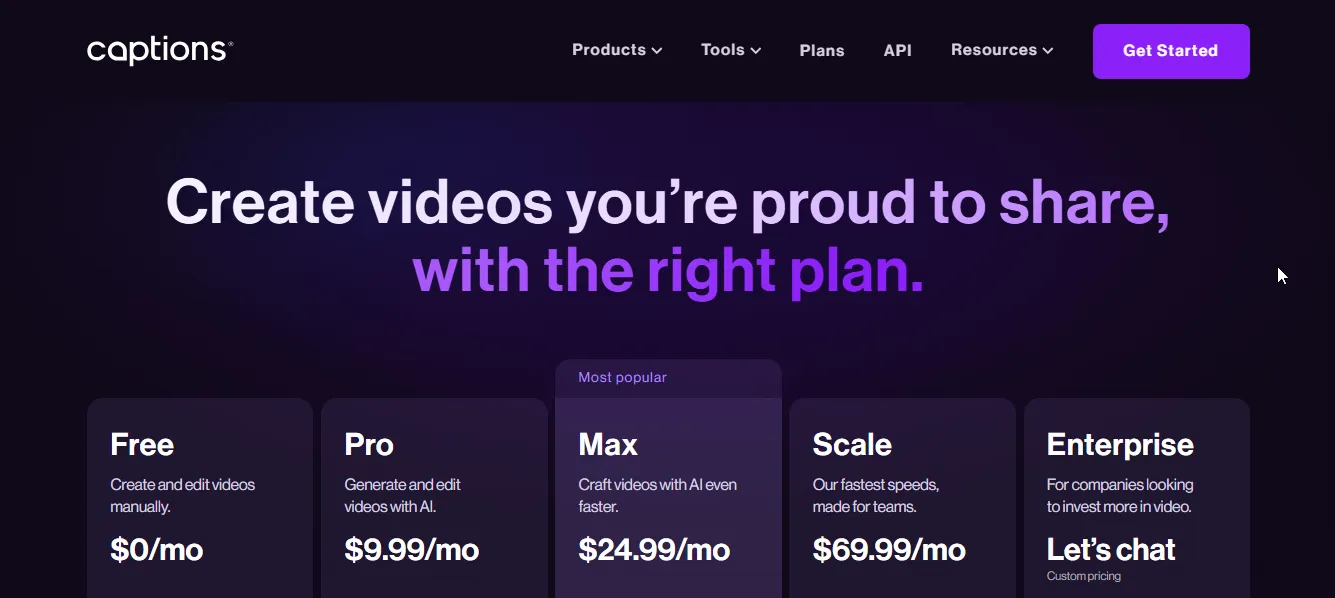
Captions AI offers flexible pricing plans to suit everyone, from casual creators to businesses looking for AI-powered video editing. Whether you need basic editing or advanced automation, there’s a plan for you.
Free Plan – $0/month
Perfect for beginners looking to experiment with AI-assisted video editing, the Free Plan includes:
- Record with a built-in teleprompter
- Trim, split, and edit clips manually
- Default captions in 29 languages
- Unlimited exports with no watermarks
Pro Plan – $9.99/month
For creators who need AI-powered editing and customization, this plan offers:
- AI-powered video editing tools
- Generate videos with custom avatars
- AI-assisted editing automation
- Video dubbing in 29 languages
- Customizable caption styles
Max Plan – $24.99/month
For faster, AI-enhanced content creation, the Max Plan includes:
- Access to generative AI models
- Faster video generation speeds
- Priority support
- Skip the generation queue
- Higher processing limits
Scale Plan – $69.99/month
Designed for teams and high-volume creators, the Scale Plan offers:
- Fastest video generation speeds
- Generate multiple videos simultaneously
- Early access to new features
- Workflow scaling for business growth
Enterprise Plan – Custom Pricing
For companies requiring advanced features and support, this plan includes:
- Dedicated Customer Success Manager
- Priority onboarding and training
- Advanced user management & access control
- Enterprise-level security and commercial terms
Are You Looking for a Captions AI Alternative?
While Captions AI is a powerful tool for video editing, generating captions and subtitles, it’s not the only option. If you’re looking for a platform that goes beyond basic editing & transcription, quso.ai might be the perfect fit.
It’s an all-in-one AI-driven platform designed to improve video content with automatic editing, real-time translations, advanced branding tools, and seamless integration across social media channels.
Here’s why quso.ai stands out as a superior alternative to Captions AI:
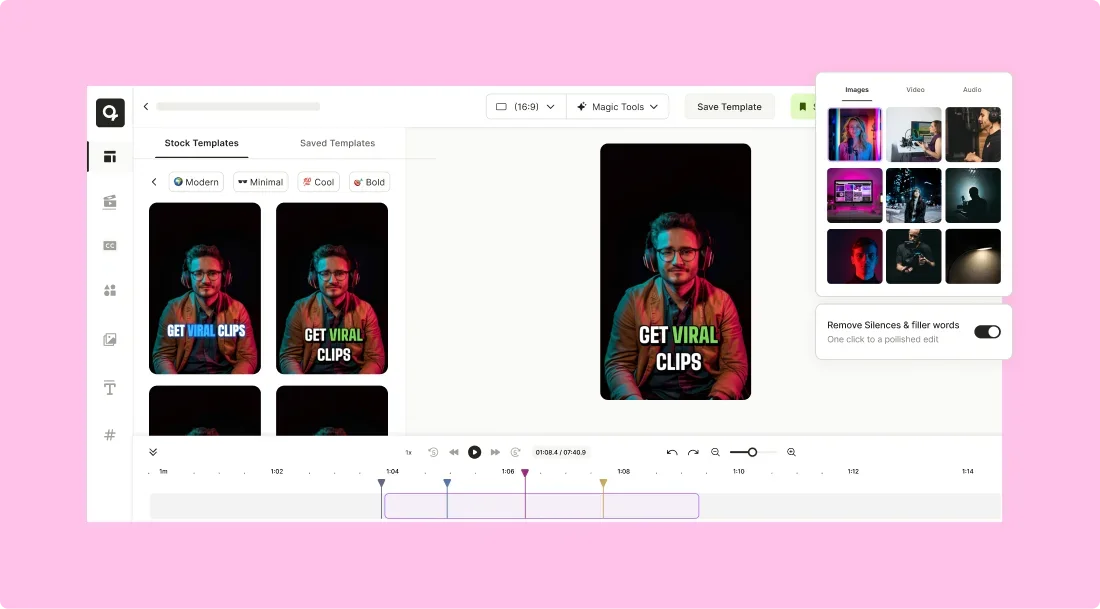
1. AI Video Editor
Simplify your editing process with AI that automates tasks like trimming, cutting, and enhancing footage. This allows you to focus on your creative vision without the hassle of manual edits.
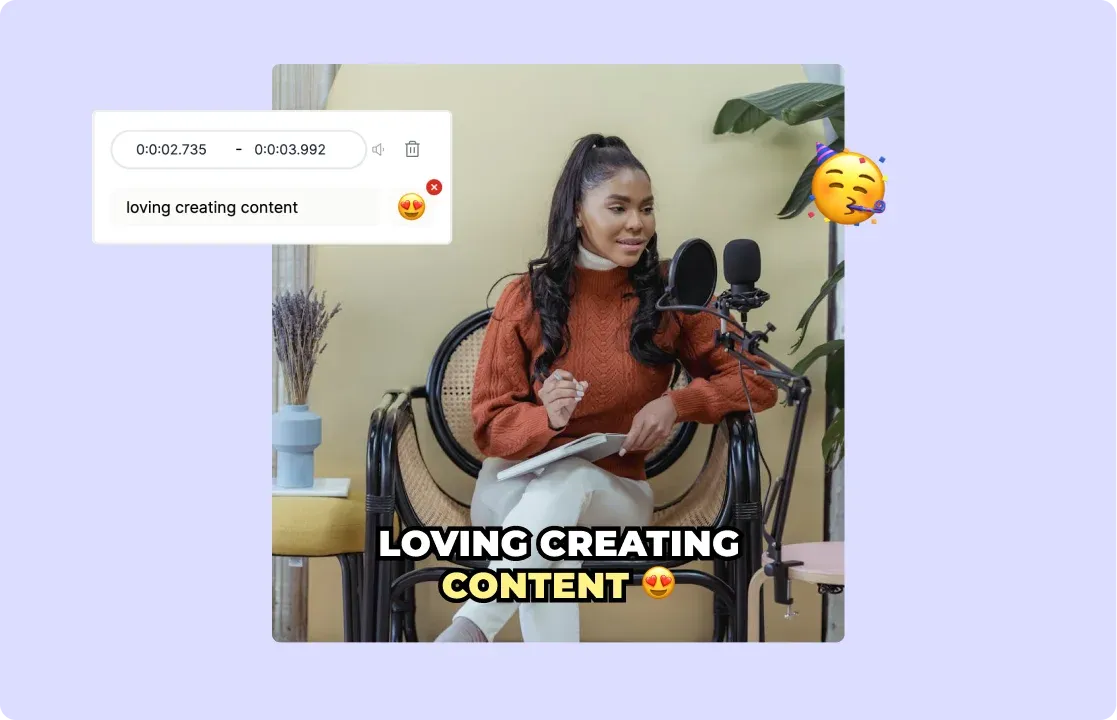
2. AI Subtitle Generator
Automatically generate accurate subtitles for your videos, ensuring accessibility and expanding your content’s reach to a broader audience, improving engagement.
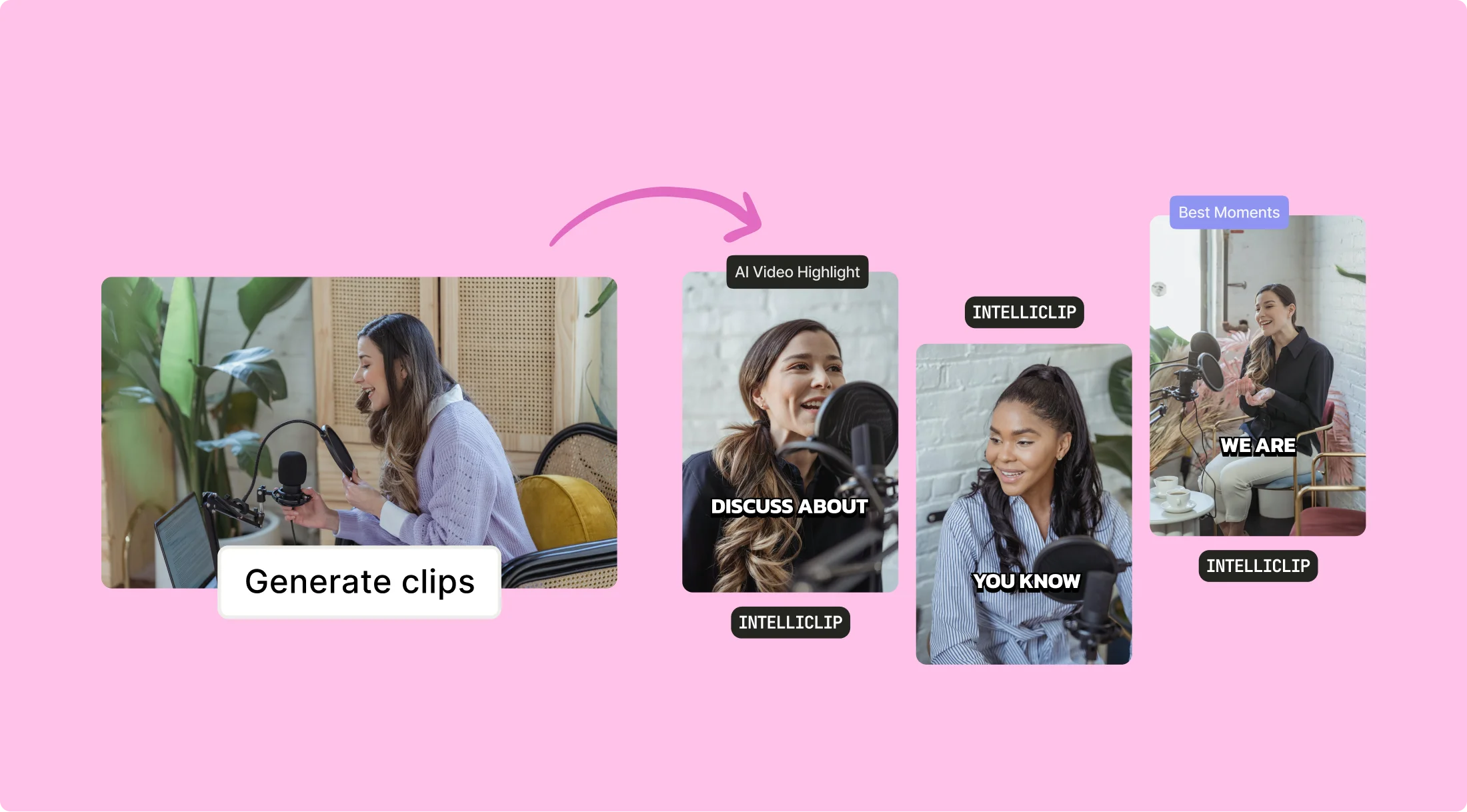
3. Intelliclips
AI-driven Intelliclips automatically identifies and highlights key moments in your videos, making editing faster and more intuitive.
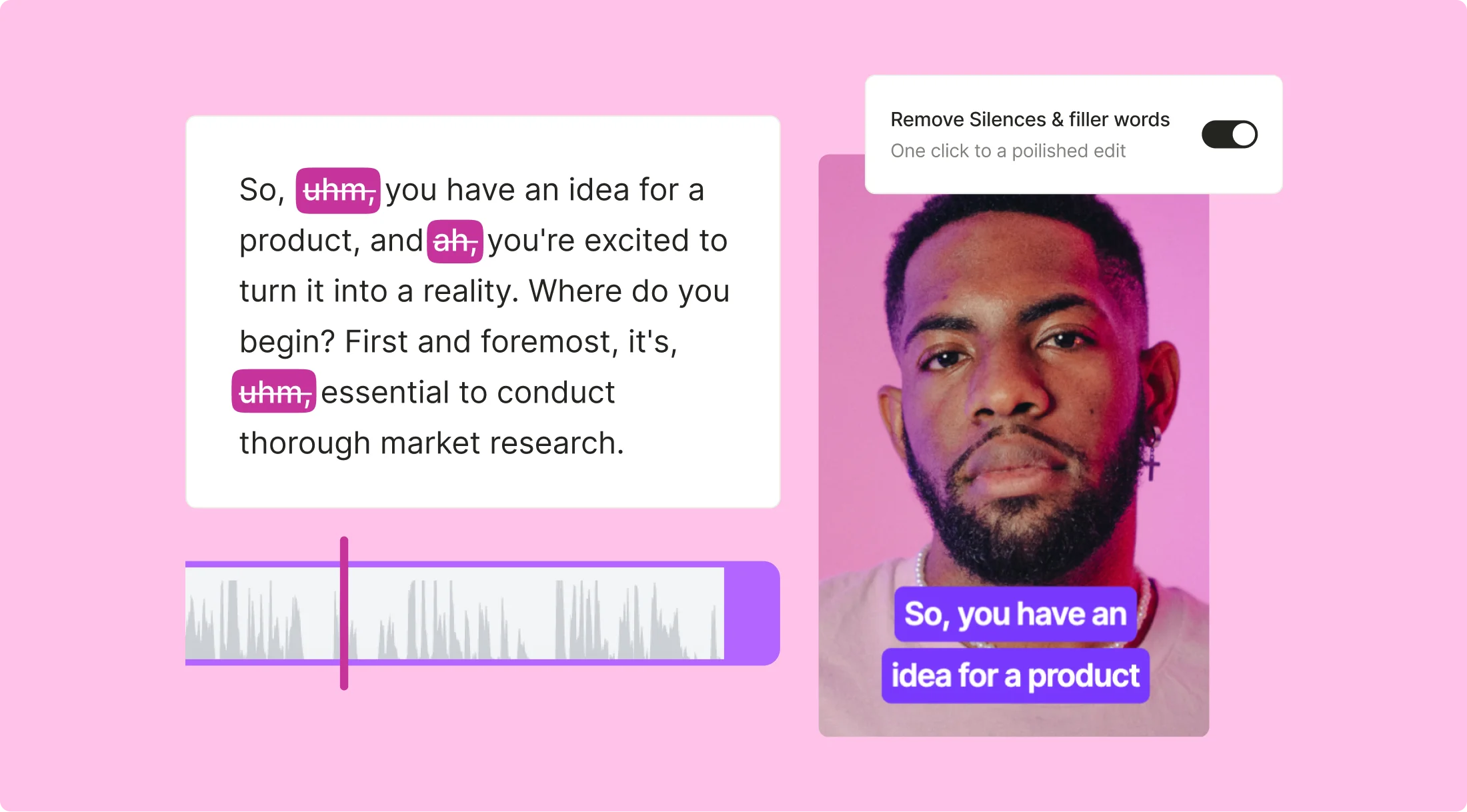
4. AI Filler Word Removal
Automatically detect and remove filler words like "um" and "uh" from your audio, making your videos sound more polished and professional.
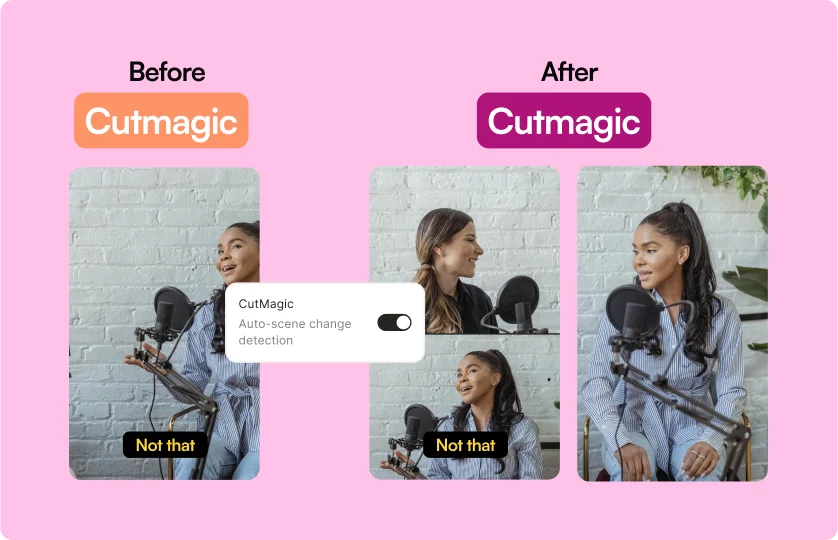
5. Cutmagic
With Cutmagic, AI makes precise cuts and edits, ensuring your videos are seamlessly engaging and ready for distribution.
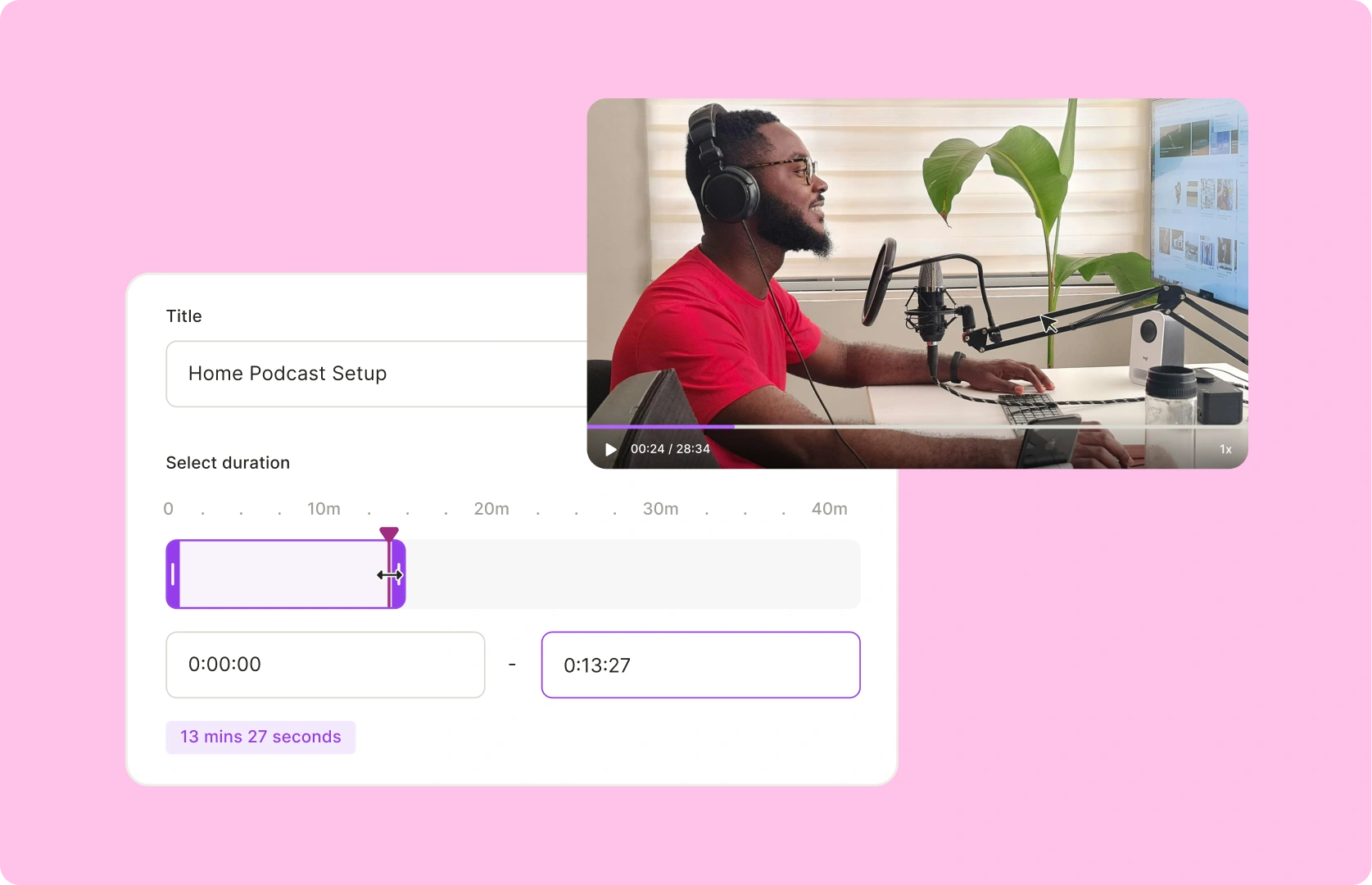
6. Custom Clips
Create tailored video content with AI-driven precision using timestamps or transcripts for maximum engagement across platforms.
Final Thoughts: Is Captions AI the Best Online Video Editor?
After exploring Captions AI, we can confidently say it’s a powerful tool for creators looking to streamline video production. Its AI-driven automation, intuitive interface, and multi-platform support make it an excellent choice for marketers, social media managers, and businesses that need high-quality video content quickly.
That said, while Captions AI excels in scaling video production, some users may find its editing features a bit limited. If you’re looking for a more comprehensive solution, quso.ai could be a better fit.
You’ll get the power of AI-driven captions and all the features of Captions AI, with additional tools such as AI influencers, AI inbox, AI video generator, and so much more.
Log in or sign up for quso.ai and take your content creation to the next level.
Turn this into 30 clips.
Drop your long video into quso and let IntelliClips do the editing.
Start clipping free