quso.ai vs Captions AI: Which is better for AI Video Editing In 2025?
Compare quso.ai and Captions AI for AI video editing. Explore features, pros, cons, pricing, and how each tool helps streamline video editing for businesses.
You finally recorded that perfect video. The message is crisp, the lighting’s great, and you’re ready to hit publish—until you open your editing tool.
Suddenly, you’re drowning in timelines, trying to trim filler words, add subtitles, and make it look good across five platforms. What should’ve taken 30 minutes turns into an exhausting late-night grind.
That’s when tools like quso.ai and Captions AI enter the chat. Both promise to speed up your editing, automate the painful parts, and help you scale content faster.
But here’s the catch: they both sound great on paper. One is known for its fast, AI-powered captioning. The other? A full-stack video marketing assistant. So which one actually delivers? And more importantly, which one’s better for you?
Now—we get it. You're reading this on quso.ai’s blog, and you’re thinking: “Of course they’ll say their tool is better.” But here’s the truth: we’ve tested both tools thoroughly—flaws and all—and this guide is built to give you the real picture. No fluff. No bias. Just a side-by-side look at what each platform does well, where it falls short, and who should be using what.
Overview of quso.ai
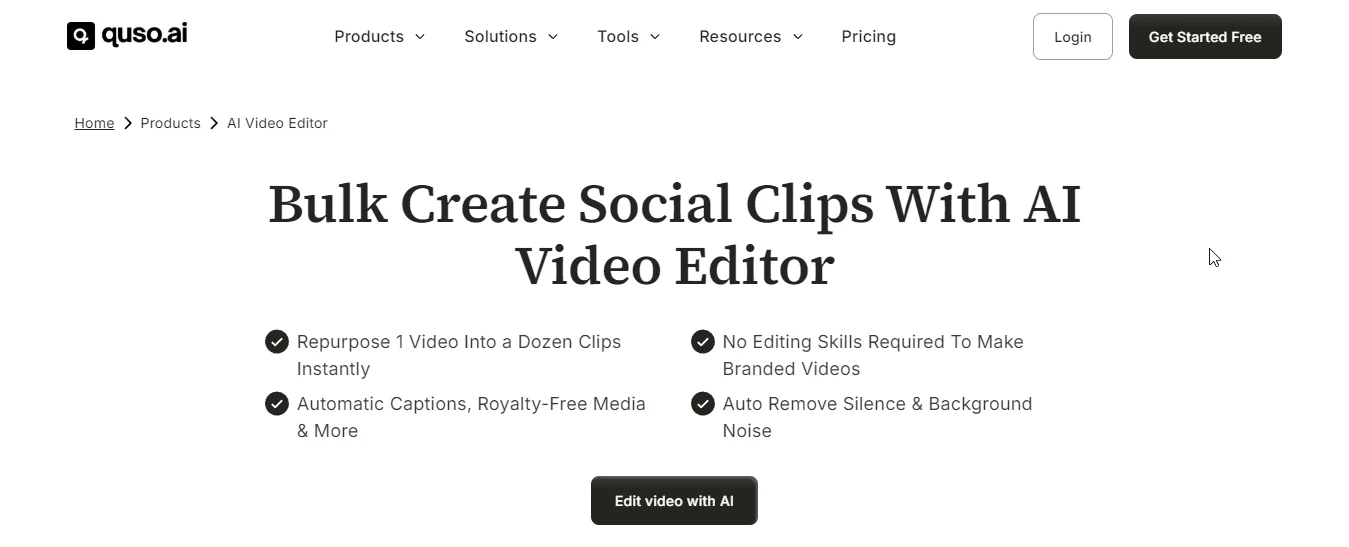
quso.ai is a powerful video editing app designed to transform the way you create and edit content.
With quso.ai, you can let AI handle the heavy lifting—trimming, cutting, splitting, merging, resizing, and even adjusting the aspect ratio to fit different social media platforms.
The AI auto-detects key moments in your footage, removes unnecessary scenes, and ensures your video flows smoothly, all while saving you countless hours spent on manual editing.
Plus, quso.ai doesn't stop there. It automatically adds captions, improves audio quality by removing background noise, and applies your brand’s logo, colors, and fonts to maintain consistency across all videos.
Whether you're creating content for YouTube, Instagram, TikTok, or Facebook, quso.ai ensures your videos are optimized for each platform’s unique requirements.
Key Features
1. AI Video Editor
Simplify your editing process with AI that automates tasks like trimming, cutting, and enhancing footage. This allows you to focus on your creative vision without the hassle of manual edits.
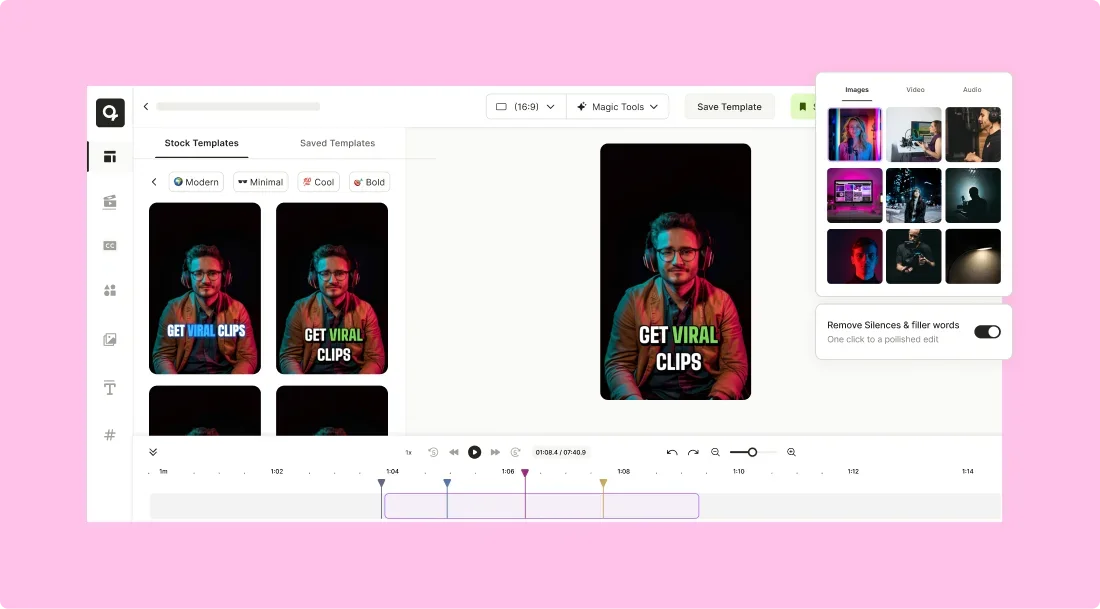
2. AI Subtitle Generator
Automatically generate accurate subtitles for your videos, ensuring accessibility and expanding your content’s reach to a broader audience, improving engagement.
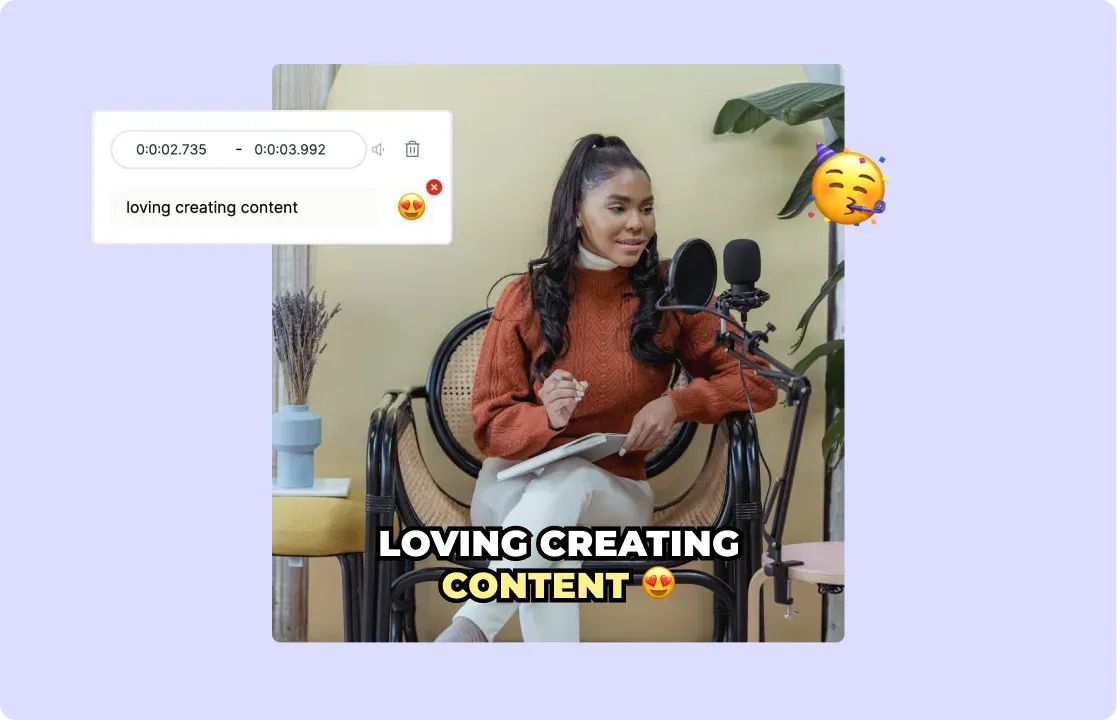
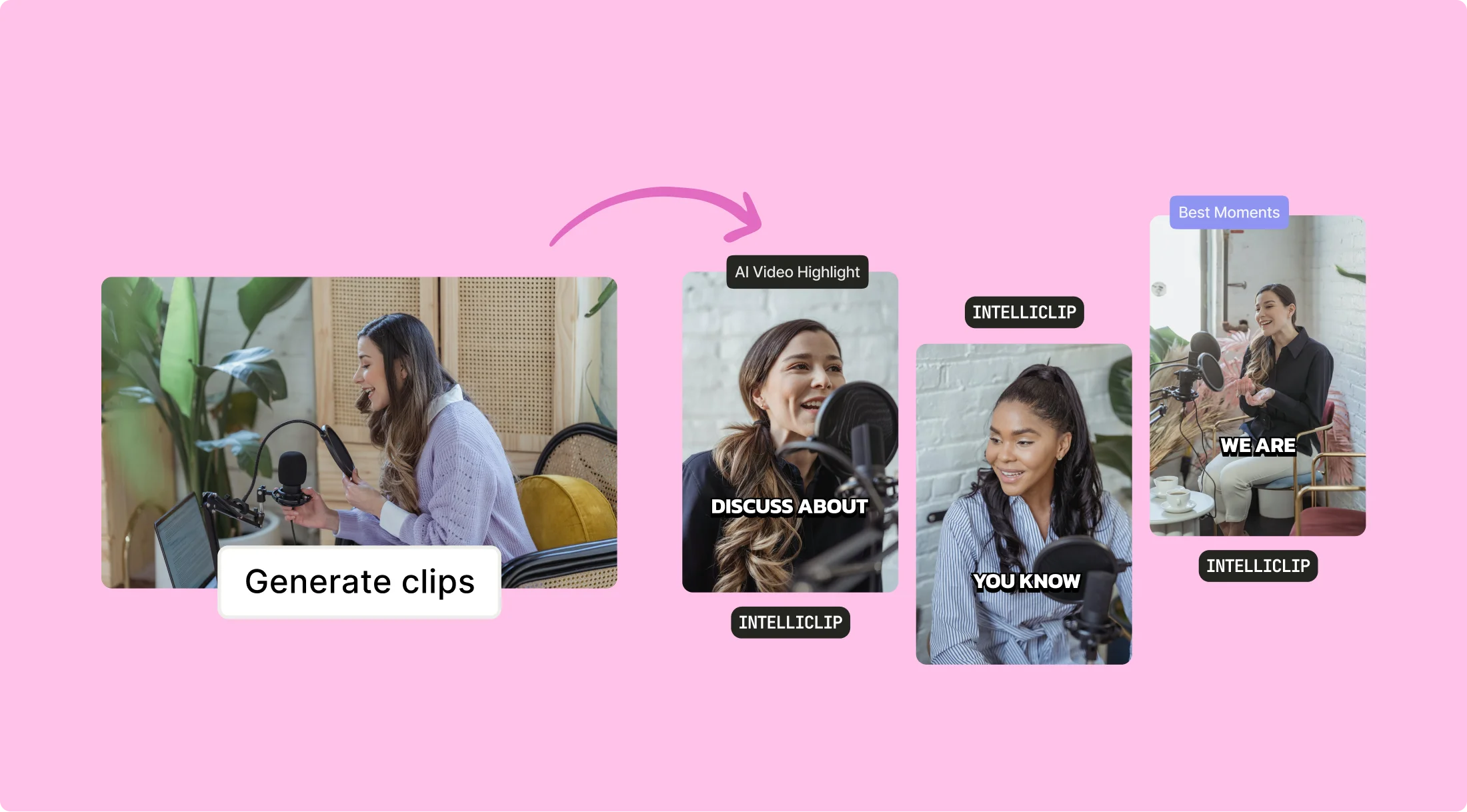
3. Intelliclips
AI-driven Intelliclips automatically identifies and highlights key moments in your videos, making editing faster and more intuitive.
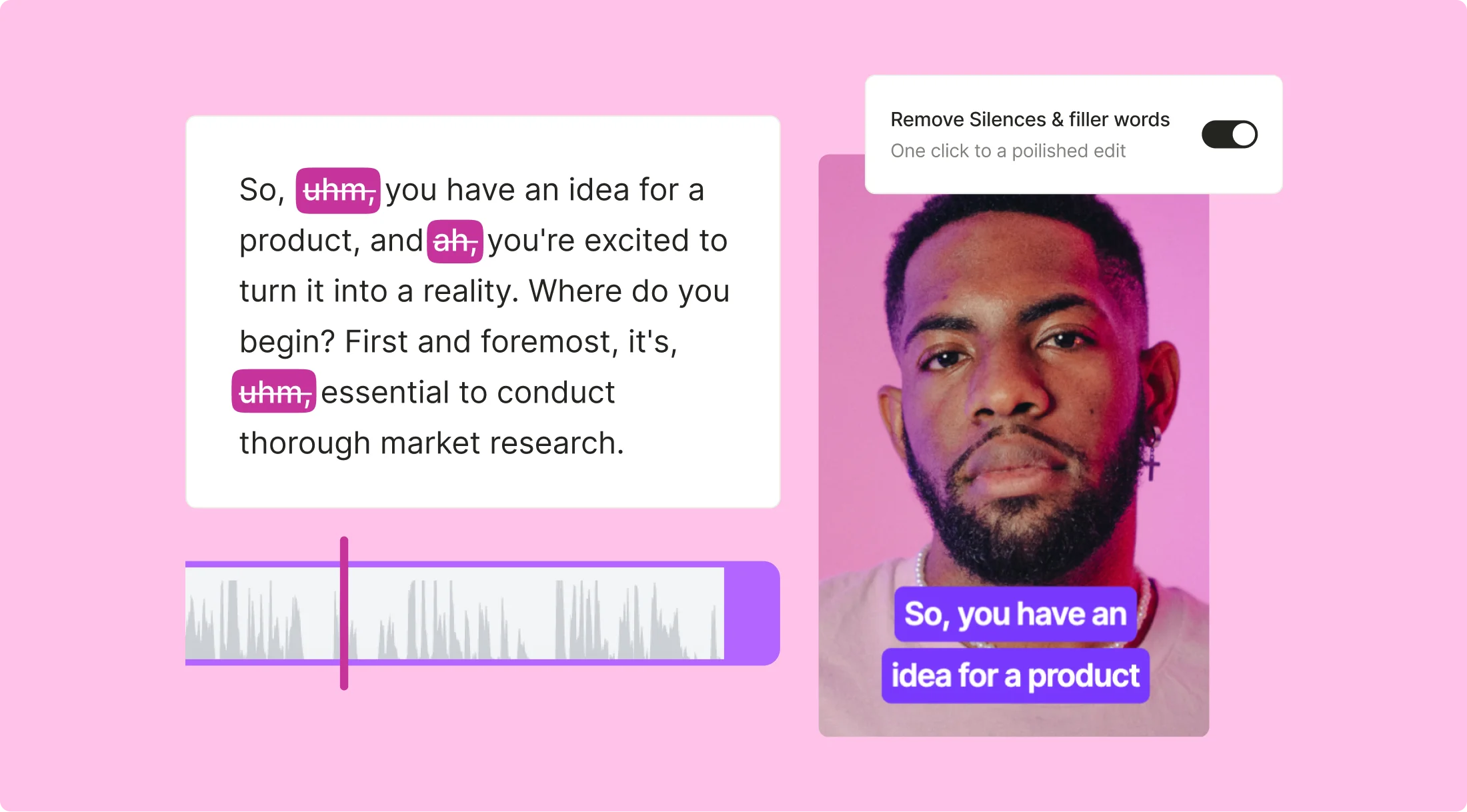
4. AI Filler Word Removal
Automatically detect and remove filler words like "um" and "uh" from your audio, making your videos sound more polished and professional.
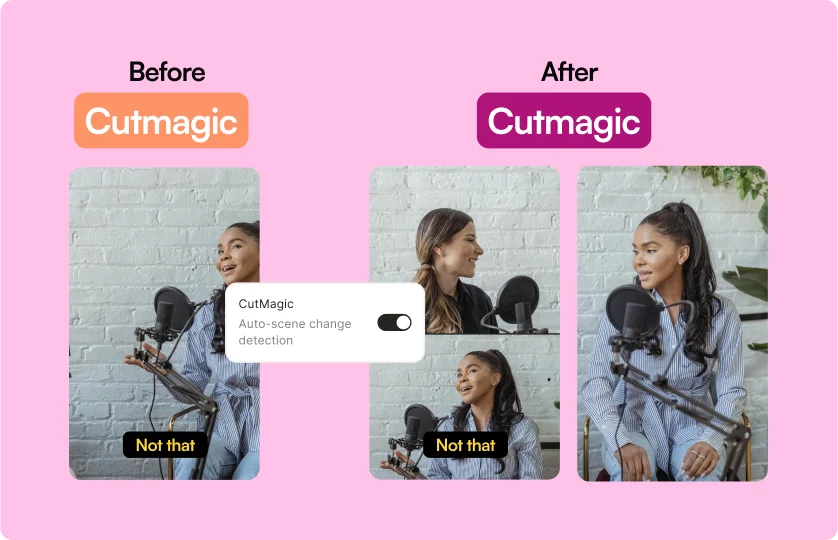
5. Cutmagic
With Cutmagic, AI makes precise cuts and edits, ensuring your videos are seamlessly engaging and ready for distribution.
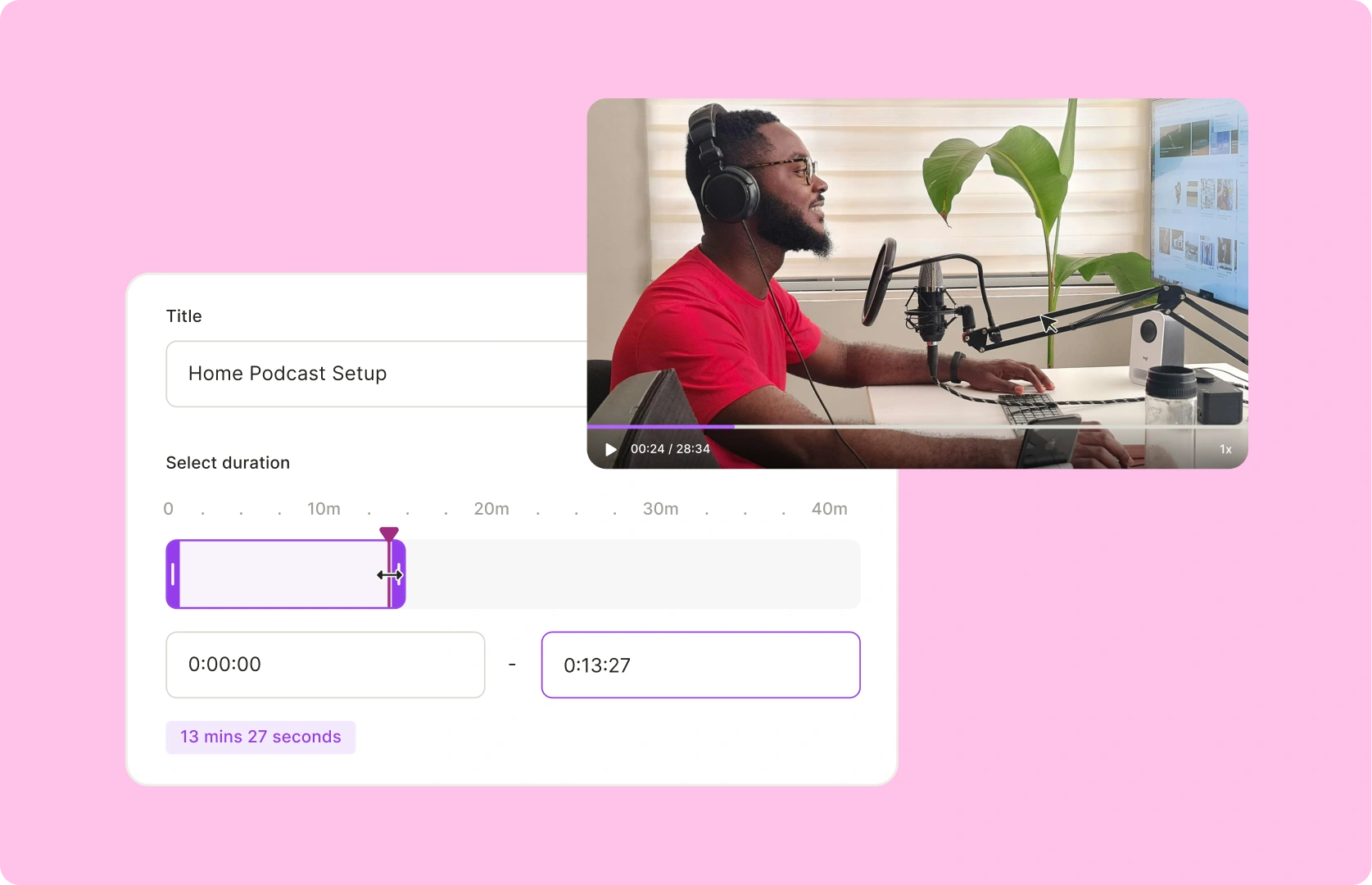
6. Custom Clips
Create tailored video content with AI-driven precision using timestamps or transcripts for maximum engagement across platforms.
Pros
- AI-Powered Tools: With its cutting-edge AI features, quso.ai helps you create, edit, schedule, and analyze content like a pro. The time-saving automation and smart tools make it easier for businesses of all sizes to produce high-quality content quickly and efficiently.
- Time-Saving Automation: Save significant time by automating routine editing tasks. Whether it’s splitting videos or removing filler content, quso.ai speeds up the editing process, allowing you to produce more content in less time.
- Consistency Across Platforms: quso.ai ensures your content is optimized for each platform, making sure your videos look and perform their best on YouTube, Instagram, TikTok, and more—without any extra effort on your part.
- Simplified Team Collaboration: quso.ai’s collaboration features allow you and your team to work on video projects together seamlessly. With easy access to the same platform, coordinating and reviewing videos becomes quick and simple.
- Scalable for All Industries: Suitable for businesses of any size or industry, from startups to multinational companies, with tools tailored to specific needs.
- User-Friendly Interface: Simplifies content creation and management, removing the need for complex software or steep learning curves.
Cons
- Internet Dependency: Since quso.ai is a browser-based platform, a stable internet connection is essential for its smooth operation. This could be a limitation in areas with unreliable or slow internet access.
- No Mobile App: At the moment, quso.ai doesn’t have a dedicated mobile app. This means users who prefer managing their content and projects on the go may find it less convenient than other platforms with mobile accessibility.
- Learning Curve for Advanced Features: While the platform is user-friendly for basic tasks, some of its advanced features may require additional time and effort to fully master, which could be challenging for new users or those unfamiliar with AI-driven tools.
Overview of Captions AI
Captions AI is an advanced online video editor that simplifies the video creation process by automating tasks like trimming, cutting, and editing.
It leverages AI technology to help users quickly refine and optimize their videos, making it easier to produce professional-quality content without the need for extensive technical expertise.
In addition to its video editing capabilities, Captions AI also offers features like automatic captioning, scene detection, and noise reduction, all designed to improve the overall quality of your videos.
The platform also supports customizable branding, ensuring that each video maintains a consistent look and feel, perfect for businesses aiming to elevate their video marketing efforts.
Key Features
- AI-Powered Video Editing: Automates trimming, cutting, and editing of video content to save time and improve efficiency.
- Automatic Captions and Subtitles: Generates accurate captions and subtitles in real-time, improving accessibility and engagement.
- Scene Detection: Identifies key moments in your video and automatically creates clips, making it easier to extract the best content.
- Noise and Silence Removal: Enhances audio quality by automatically removing background noise and silence for clear, professional sound.
- Customizable Branding: Apply your brand’s colors, logos, and fonts to ensure consistency across all your videos.
- Cross-Platform Support: Compatible with various social media platforms, allowing you to customize videos for each format and optimize them for maximum engagement.
Pros
- Content Scalability: Automates repetitive video editing tasks, allowing users to scale video production quickly, saving time and resources.
- Accessibility Features: Offers subtitles and sign language avatars to make videos more accessible to a diverse audience, including those with hearing impairments.
- Custom Branding Options: Provides seamless insertion of logos, watermarks, and custom graphics, ensuring brand consistency across all video content.
- Advanced Analytics: Delivers detailed insights into viewer engagement and video performance, helping creators optimize their content strategies effectively.
- Seamless Integration: Integrates effortlessly with popular video platforms and social media channels, simplifying the workflow from content creation to publication.
Cons
- High Processing Demand: The real-time AI editing requires significant computational resources, which may not be optimal for all user systems.
- Limited Creative Control: AI-generated videos may limit personalized editing styles and unique content creation, potentially restricting creative flexibility.
- Translation Inaccuracies: While it supports multiple languages, the AI may struggle to capture subtle nuances and regional dialects in translations.
- Avatar Customization Limits: Although customizable, the AI Creator avatar may have limitations in fully capturing diverse identities and expressions.
Pricing and Plans
quso.ai

quso.ai offers several pricing plans to cater to different types of users, providing great value:
- Free Plan: Includes 75 credits per month, 720p render quality, short clips, and watermark.
- Lite Plan: Priced at $29/month, this plan offers AI clips & captions, AI video resizing, full HD 1080p exports, and unlimited 1080p exports.
- Essential Plan: At $39/month, this plan gives access to premium AI tools, including AI filler & silence removal, AI influencer & writer, and 1-click scheduling to 7 social platforms.
- Growth Plan: Priced at $49/month, this plan includes everything in Essential, plus unlimited social post scheduling, bulk publishing, advanced AI analytics, custom templates & brand kit, and priority support.
Captions AI
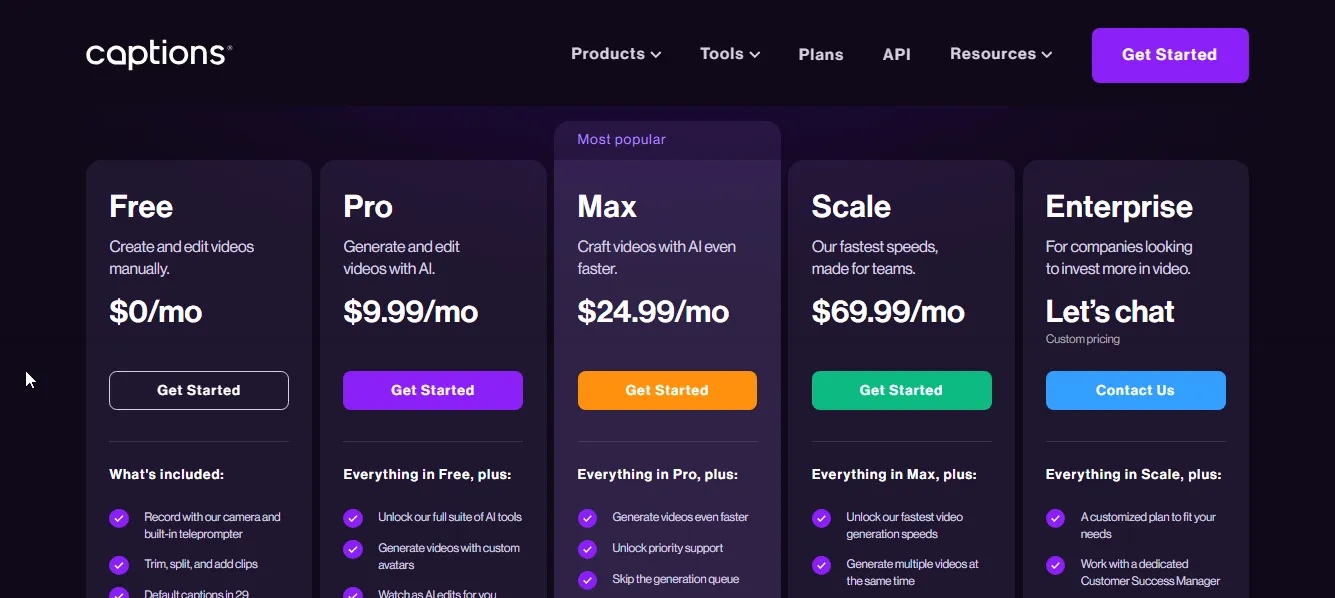
Captions AI offers several pricing plans to cater to different user needs, providing great value:
- Free Plan: Includes video creation and editing tools such as trimming, splitting, adding clips, default captions in 29 languages, and unlimited exports with no watermarks.
- Pro Plan: Priced at $9.99/month, this plan offers AI video generation with custom avatars, AI-powered editing, dubbing into 29 languages, and customizable caption styles.
- Max Plan: At $24.99/month, this plan gives faster video generation, priority support, the ability to skip generation queues, and higher processing limits.
- Scale Plan: Priced at $69.99/month, this plan offers the fastest video generation speeds, the ability to generate multiple videos simultaneously, and early access to new features.
- Enterprise Plan: Custom pricing, offering everything in Scale, plus a dedicated Customer Success Manager, priority onboarding, custom solutions, and advanced user management.
Feature-to-Feature Comparison
1. AI Video Editor
Both quso.ai and Captions AI offer AI video editing to simplify the process of creating professional-looking videos.
While both apps feature basic trim, cut, split, and merge tools, quso.ai goes a step further with its smart scene detection.
This AI technology identifies and removes unnecessary footage, helping to maximize viewer retention and making videos more dynamic and engaging.
2. AI Captions
Both quso.ai and Captions AI provide AI-powered subtitle generation for videos, making them accessible in multiple languages.
While quso.ai stands out for its quick video processing, customization, and the added benefit of direct integration with social media platforms, Captions AI allows for seamless subtitle translation into multiple languages.
Caption AI’s translation feature ensures your content is accessible to a global audience, making it easy to create multilingual videos with accurate subtitles that reach viewers in different regions.
3. AI Clips Generator
AI clips generator can be a game changer if you are prioritizing short-form videos.
Both quso.ai and Captions AI have got you covered with their powerful AI tools designed to transform long-form videos into social-ready clips effortlessly. But there are stark differences that are worth noting.
While quso.ai excels at identifying and selecting the most engaging clips from longer videos using its AI-driven technology, Captions AI specializes in generating precise, dynamic captions to boost engagement and accessibility, ensuring your content is inclusive and easily consumable.
4. Audio Editing
Again, both tools offer top-tier audio editing options, but they are polar opposites in terms of their offerings.
quso.ai excels at removing filler words and silences with a streamlined, one-click process. Its focus is on optimizing the clarity and flow of speech, eliminating distractions such as "uh," "um," and long pauses.
On the other hand, Captions AI is focused on background noise removal and enhancing audio quality in a slightly different way. It allows users to instantly denoise their videos, eliminating unwanted background sounds with just one click.
5. AI Avatars
Both quso.ai and Captions AI offer powerful AI avatar features, but they cater to different needs in terms of customization and video production.
quso.ai is focused on providing a wide range of customizable avatars—over 80 unique options, each tailored to specific industries and needs.
Its platform allows you to create lifelike avatars with personalized voices, tones, and visuals, making it ideal for brand-building and influencer-like video content.
On the other hand, Captions AI focuses on simplicity and speed for users looking for a more straightforward video generation experience.
It offers customizable avatars, but its strength lies in its one-click video creation and fast turnaround.
6. Team & Collaboration Features
Video creation is a team effort, and both tools offer distinct collaboration features that cater to different needs.
quso.ai allows you to add team members for all of its paid plans, ensuring seamless collaboration for teams of all sizes.
Whether you're working with a group on content creation or overseeing multiple projects, quso.ai provides flexibility in managing team roles and responsibilities within the platform.
On the other hand, Captions AI limits team collaboration to its Scale plan.
This means that only users subscribed to the higher-tier plan can invite team members, making it a more exclusive option for larger organizations or businesses looking for scalable collaboration.
quso.ai vs Captions AI: Which is better for AI Video Editing?
When comparing quso.ai and Captions AI, quso.ai offers an all-in-one solution for video editing. With its AI-powered tools for video editing, clip generator, video resizing, and more, it enables you to produce high-quality videos effortlessly.
In contrast, Captions AI focuses more on AI-powered subtitles and avatars, providing specialized tools for automatic caption generation and customizable avatars. While these features are great for specific needs, it doesn't offer the same broad video editing capabilities that quso.ai provides.
For businesses looking for a comprehensive, all-in-one video editing solution, quso.ai stands out as the better option.
Turn this into 30 clips.
Drop your long video into quso and let IntelliClips do the editing.
Start clipping free