Tools / Chromebook Video Editor

Chromebook Video Editor

Edit videos fast—right from your Chromebook. This online video editor is built for ChromeOS: lightweight, cloud-based, and easy to use. No downloads, no lag, no watermarks. Whether you're trimming clips, making reels, or cutting YouTube Shorts—this is the video editor for Chromebook users who want clean exports, simple tools, and zero hassle.

Edit Your Video Now Trusted by 4M+ users
Chromebook Video Editor

Edit Videos Easily With ChromeOS Video Editor

Edit fast with ChromeOS editor

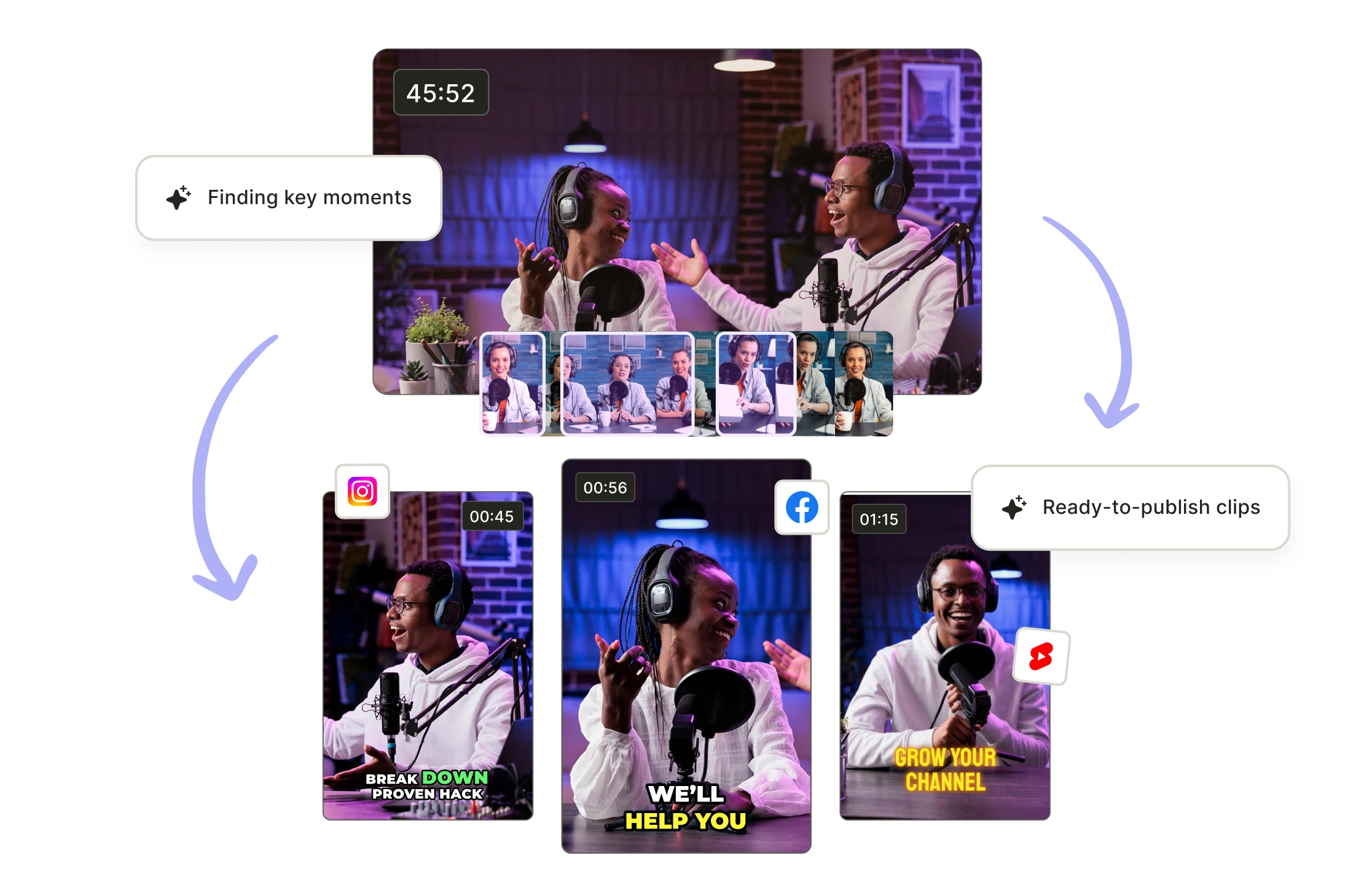
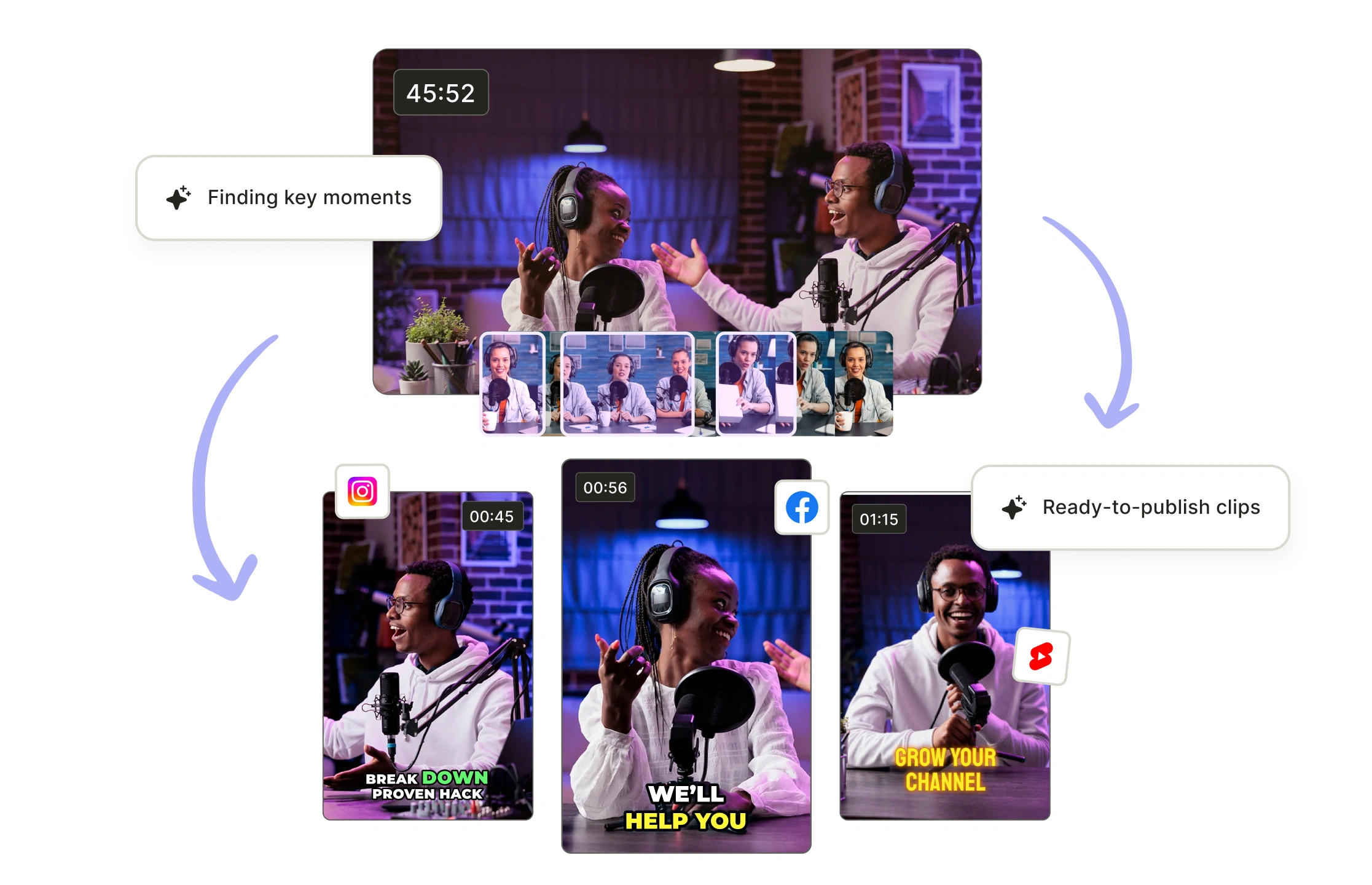
This is a cloud-based AI video editor built for speed and simplicity, perfect for Chromebook users. No need to install bulky video editing software for Chromebook. Just upload our video, and our AI instantly generates short-form clips like Reels or YouTube Shorts. It works smoothly even on low-spec ChromeOS devices.

Edit fast with ChromeOS editor

Create multiple clips using Chromebook editor

This video editor for Chromebook auto-detects highlights, adds subtitles, and edits multiple clips in one go. You can turn a single long video into 10+ social-ready clips in minutes. It’s ideal for creators, small business owners, and marketers who need fast, smart editing without wasting hours.

Create multiple clips using Chromebook editor

Get high-quality video exports from free Chromebook editor

Unlike other free video editor Chromebook tools, this tool lets you export clean, high-quality videos with no watermark. So whether you're editing vlogs, your next podcast, or social content, your work stays professional and share-ready.

Get high-quality video exports from free Chromebook editor
Collaborate with your team on video projects

Collaborate with your team on video projects

Invite your team to a shared workspace and edit videos together. Everyone gets access to the same timeline and files. Whether you're on a Chromebook or desktop, this online editor helps your team move fast, stay in sync, and publish better videos, without switching tools.

Collaborate with Your Team

Resizes and Reformats for TikTok YouTube Shorts and More

Resizes and Reformats for TikTok YouTube Shorts and More

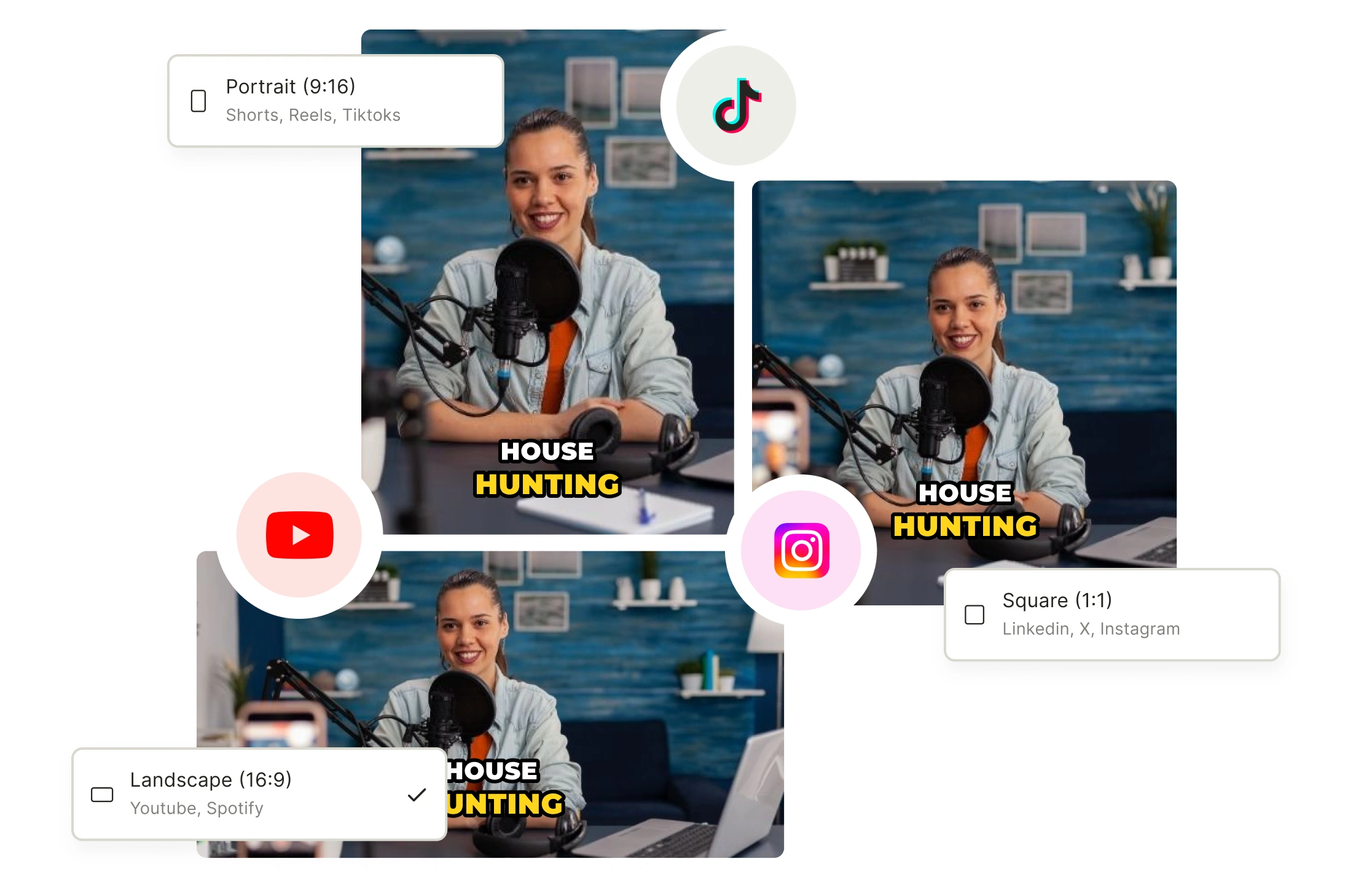
Create once, publish everywhere. The editor auto-adjusts your videos to fit platform-specific formats—whether it's vertical reels for TikTok or widescreen for YouTube. No manual cropping, resizing, or guessing.

Optimize For Different Social Media Platform

Edit smarter with an AI video editor

Edit smarter with an AI video editor

Cut, split, and merge scenes in seconds. The AI finds key moments automatically, or you can create custom clips using timestamps or transcripts. This Chromebook video editor turns long footage into short highlights fast. Perfect if you want a simple video editing tool that saves time and reduces manual effort.

Edit Your Video Now

How To Use A Video Editor On A Chromebook?

1. Upload Your Footage
Start by opening a web-based video editor and uploading your video clips—either from local storage or cloud services like Google Drive.
2. Choose Your Editing Layout
Select a project format (like landscape or vertical) and edit clips onto the timeline to begin structuring your video.
3. Apply Edits and Enhancements
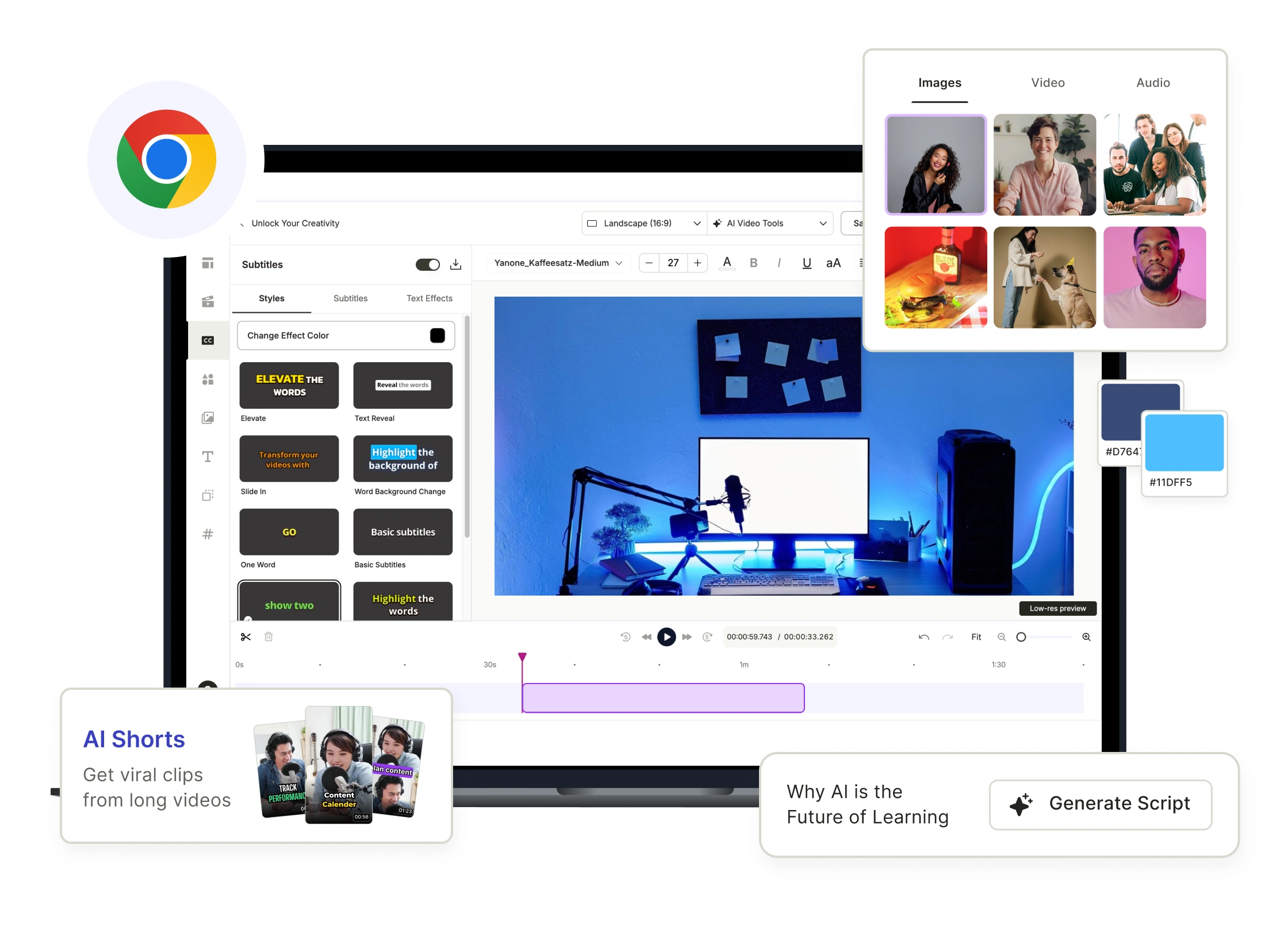
Trim clips, add transitions, text, subtitles, and use AI tools to auto-detect scenes or generate captions where supported.
4. Export and Share
Preview your final edit, export the video in your desired resolution, and download or share it directly to social platforms

FAQ

Does Chromebook have a video editor? +

Yes, Chromebooks support video editing through online video editors for Chromebook. While they don’t come with heavy built-in editors like Windows or Mac, you can easily use Chromebook video editor online tools such as quso.ai without needing to install anything.

What is the best video editor for Chromebook? +

The best video editor for Chromebook depends on your needs. For AI-powered edits and auto-captions, quso.ai is a top choice that works seamlessly in the browser.

A good video editor for Chromebooks? +

A good editing software for Chromebook should be lightweight, cloud-based, and easy to use. quso.ai is a great example that offers templates, quick edits, and social-media-ready formats for Chromebook users.

Is Chromebook video editor free? +

Many Chromebook video editor options are free to start with. Platforms like quso.ai offers generous free video editor Chromebook plans with core features, while premium plans unlock advanced tools like watermark removal and AI enhancements.

Can you do video editing with a Chromebook? +

Yes, you can absolutely do video editing on a Chromebook using video editing software for Chromebook that’s browser-based. Video editing tools like quso.ai offers intuitive workflows designed for Chromebook users, with no heavy downloads required.

Chromebook Video Editor

Edit Your Video Now