Custom Clip
Custom Clip - Tailormade Video Content
Instantly create custom clips from timestamps or transcripts—no editing experience needed. Generate clips that hit exactly how you want, when you want, on every single platform.
Create custom clip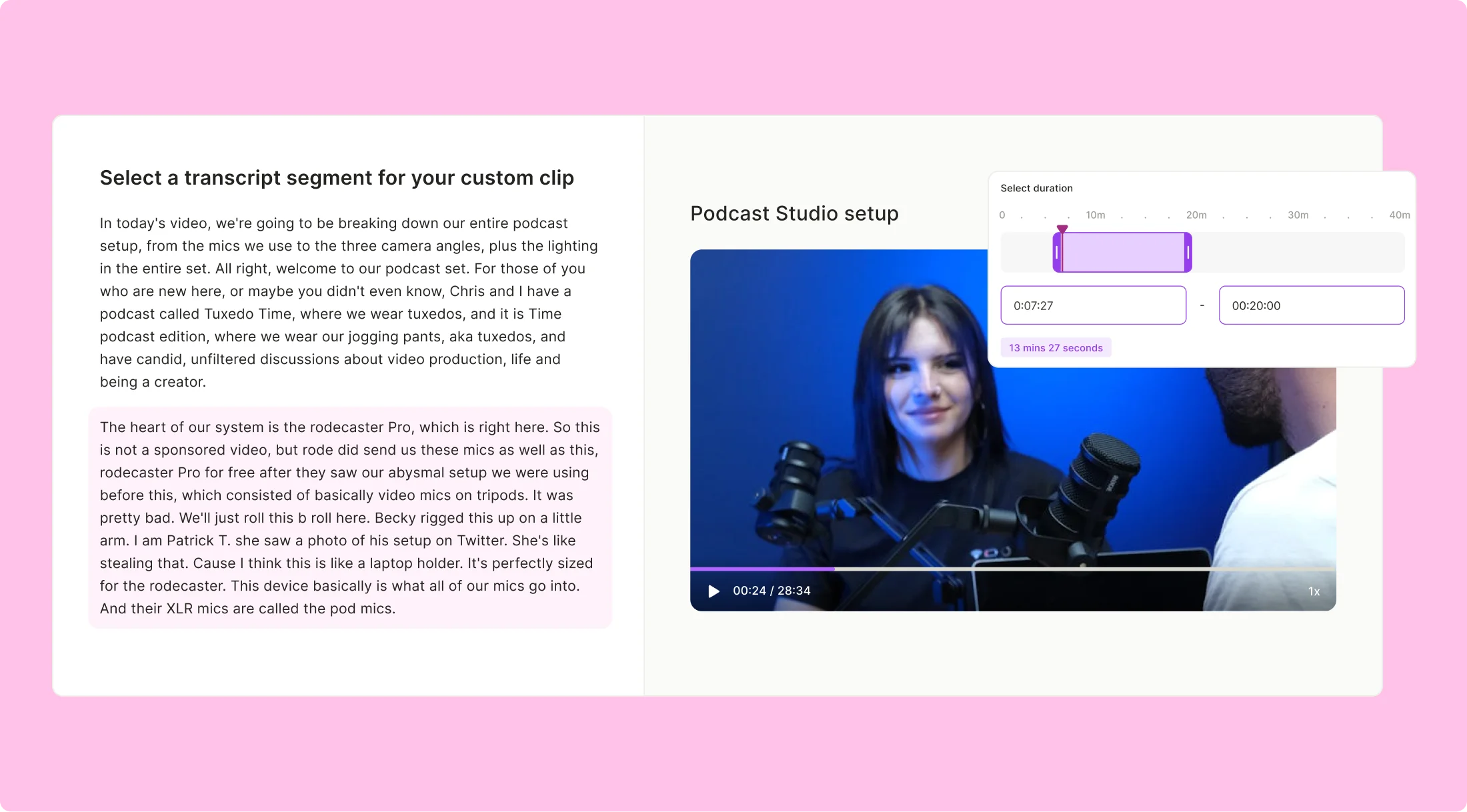
Custom Clip
Instantly create custom clips from timestamps or transcripts—no editing experience needed. Generate clips that hit exactly how you want, when you want, on every single platform.
Create custom clipAdd subtitles in English, Spanish, French, or German with a single click. Boost engagement and save time while making your videos scroll-stopping and accessible. Want to tweak fonts, colors, or even throw in emojis? Go for it—quso.ai’s got your branding covered

With quso.ai, you can automatically add subtitles in English, Spanish, French or German to your videos with a single click, saving time and boosting viewer engagement on social media. You can edit subtitles in real-time in a couple clicks, adjusting fonts, colors, and even auto adding emojis to clearly convey emotions and maintain brand identity.

Test, tweak, and try again. Create custom video lengths—15-second bites or 2-minute gems—and see what hooks your audience best. A/B testing is a breeze, helping you find the perfect version for max views, likes, and shares.

To cut based on start and end time from the source video and avoid having to do the math, specify the start and end time as the input option. Preview the clip to ensure it has been cut to the desired length. This approach simplifies the process of creating precise video clips.
Make custom clip using timestamp
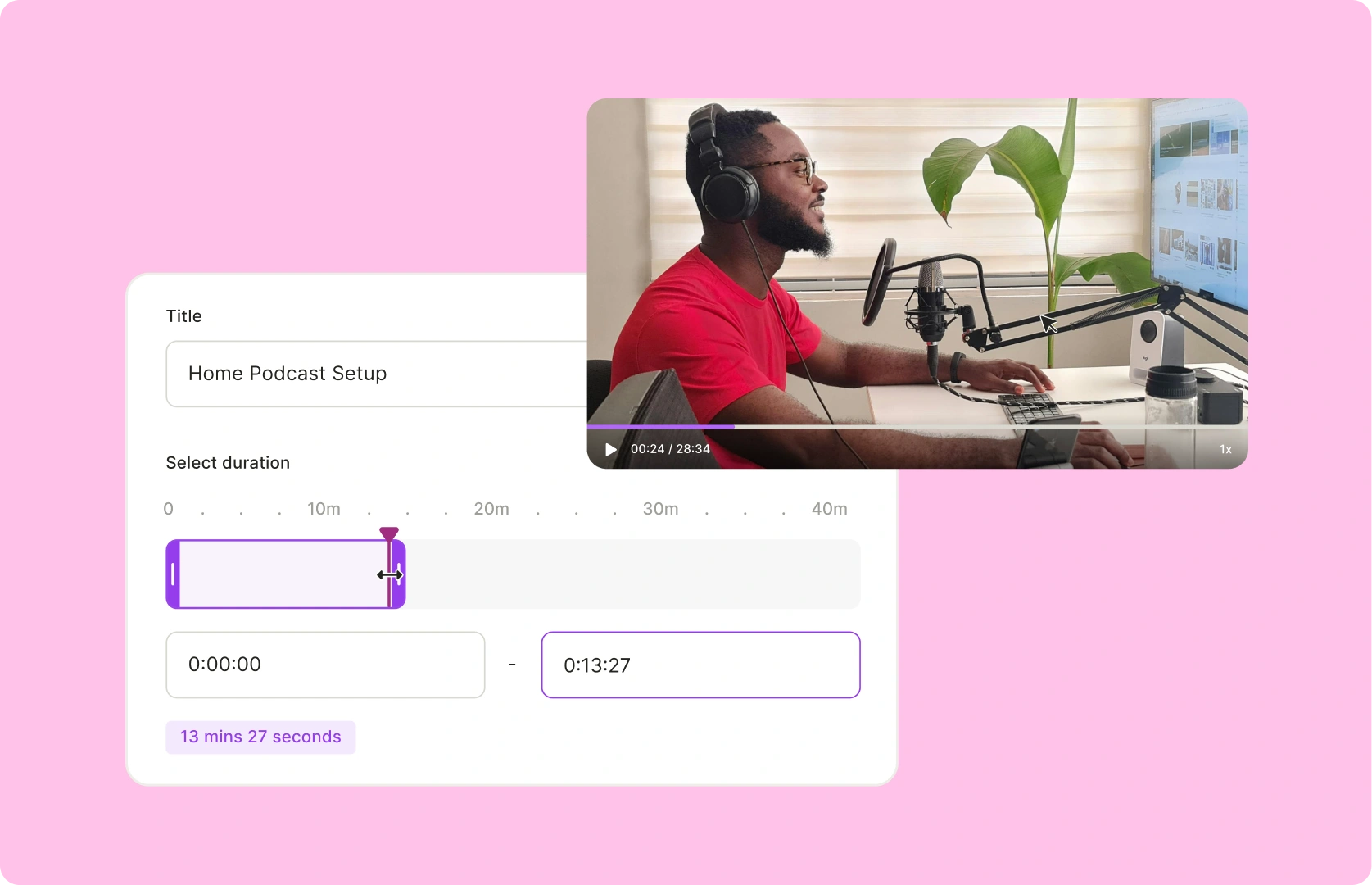
If you're looking to create a custom clip at a specific timestamp, quso.ai makes it incredibly easy. Simply drag from the first word to the last word of where you want your clip to end. You'll immediately see how the clip is generated on the right-hand side. This seamless process ensures you can create personalized clips instantly.
Make custom clip using captions
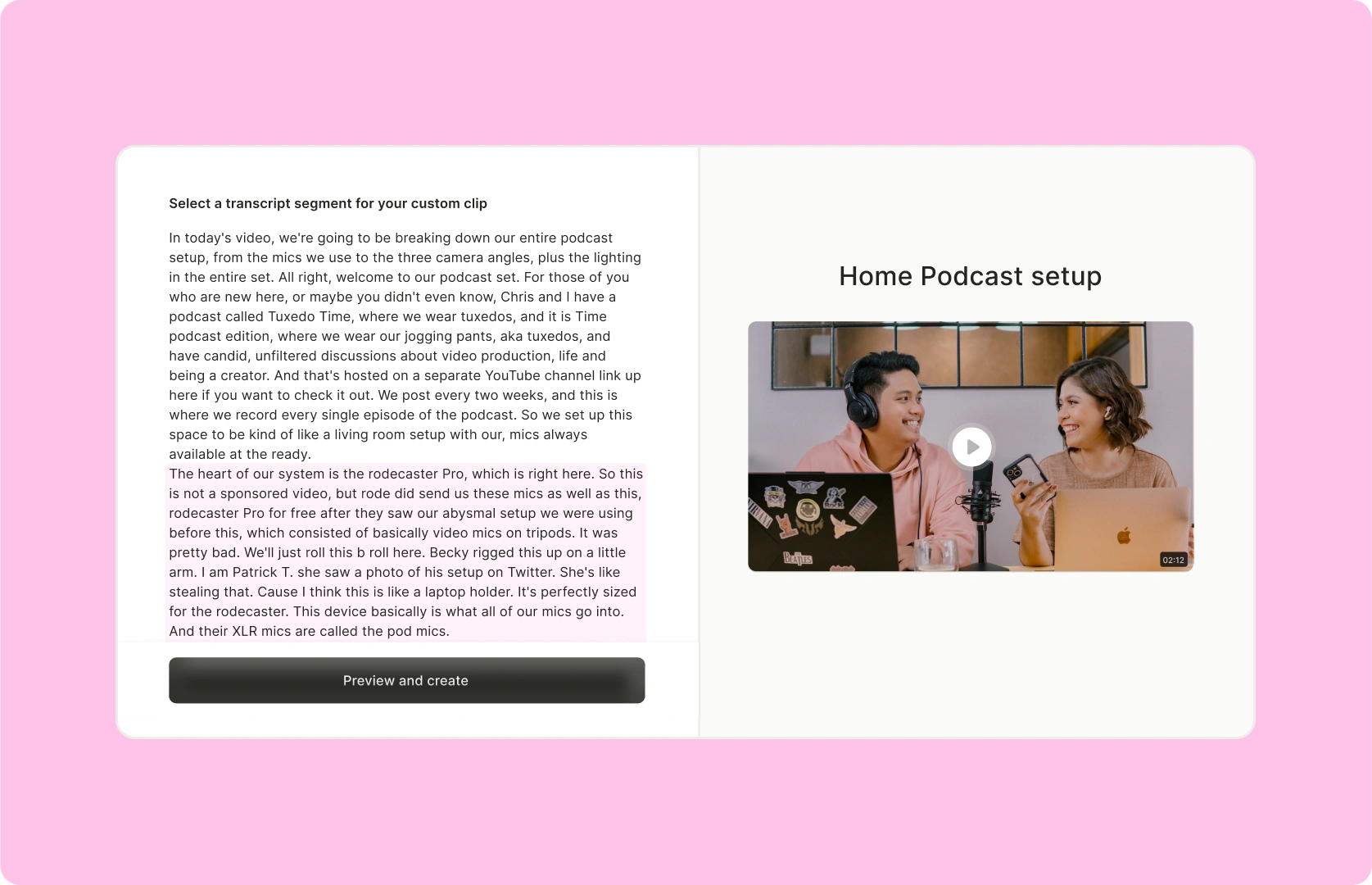
Your custom clip will be social-ready for any aspect ratio you want instantly, including landscape (16:9) for Youtube and Spotify, portrait (9:16) for Shorts, Reels and TikTok, portrait split (9:16) for when two speakers are in the frame, or square (1:1) for LinkedIn, X and Instagram.
Draft a custom clip now
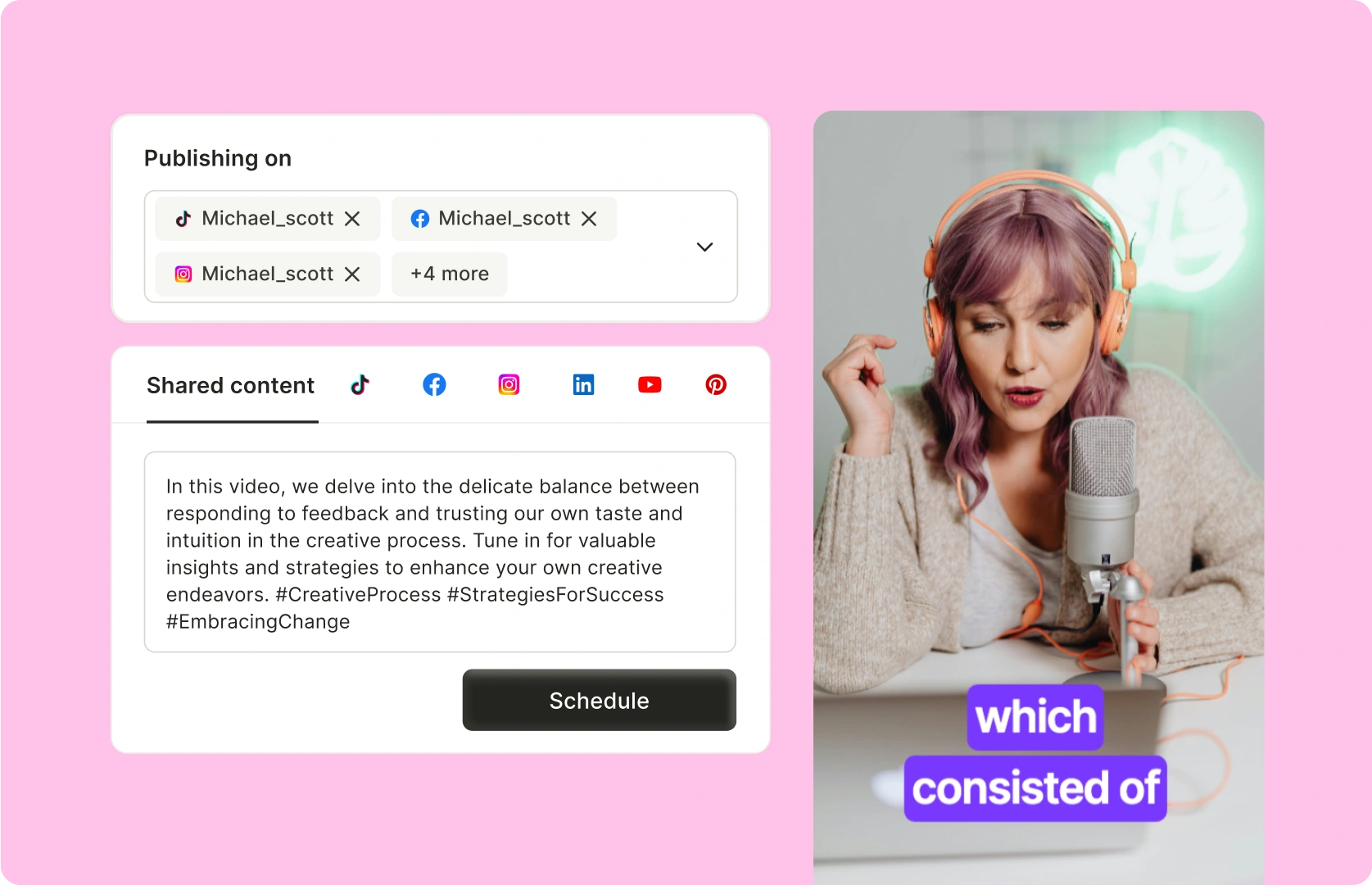
Begin by logging into your chosen video editing platform. Navigate to the project dashboard where your video content is stored. Select the specific project you wish to work on to start generating custom video clips from transcripts. This workspace will allow you to manage and edit your video content effectively.
Decide whether to create a clip using timestamps or directly from the transcript. For timestamp-based clips, specify the start and end times to define your custom video segment. Alternatively, for transcript-based creation, highlight the desired section of text that corresponds to the video segment you need. This flexibility enables precise control over the content you want to feature.
Initiate the creation process by generating the clip based on your selected method. Preview the video segment to ensure it meets your requirements. Use available platform tools to name and finalize your custom clip. The process is usually swift, allowing you to quickly move forward with your project.
Enhance your video clip by adding personalized elements such as text overlays, background music, or visual effects to increase engagement. Once satisfied, export your video in the desired format or share it directly to social media platforms like TikTok, Facebook, and YouTube. This step maximizes the reach and impact of your custom video content.
To get a clip from a video, you can use a video editing tool or service like quso.ai. With quso.ai, you can get social-ready clips using AI or create custom clips by selecting a timestamp or segment from the video's transcript.
Clipping a video refers to selecting a specific portion or segment of the video that you want to extract or highlight. This can be done to create shorter, customized clips that focus on key moments or topics within the video.
You can get short custom video clips using quso.ai: Sign in to your quso.ai account and go to "All Projects." Select the video project where you want to create a custom clip. Choose your clip creation method: create from timestamp or create from transcript. Generate the clip, preview it, name it, and finalize it by adding personal touches like overlays, music, or captions.
Yes, after setting your desired start and end times, you can preview the clip to ensure it meets your expectations before creating the final version
Yes, you can adjust the start and end timestamps of your clips using intuitive grab bars on the timeline, allowing for precise editing even after the initial creation.