AI Content Planner

Plan, Schedule, and Organize Your Social Media Content With Ease

An AI content planner gives you a clean, visual calendar to easily plan and schedule your posts, know exactly what's going out when, and stay consistent without the headaches.

Plan Your Social Media Posts
Plan, Schedule, and Organize Your Social Media Content With Ease

Social Media Planning Has Never Been This Easy

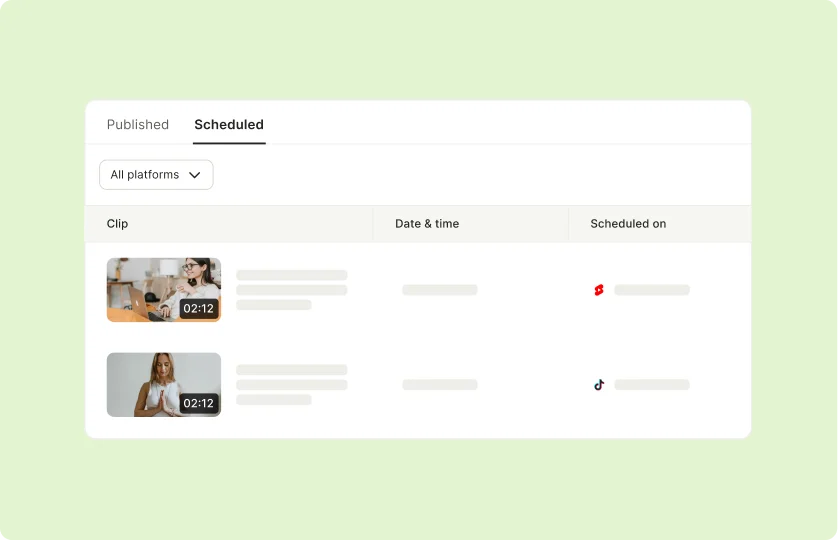
Centralized Scheduling Across Platforms

Schedule and automate posts across Facebook, Instagram, TikTok, Pinterest, and more, all from one dashboard. Save time and keep your content consistent without juggling multiple platforms.

Centralized Scheduling Across Platforms

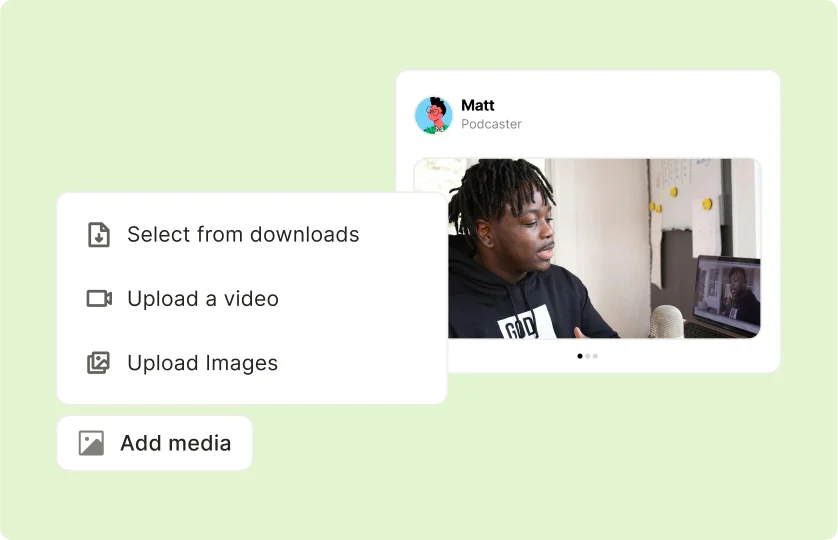
Flexible Content Uploads

Create new posts directly by uploading videos, images, or other content from your local device. Enjoy the freedom to create fresh, engaging posts anytime.

Flexible Content Uploads

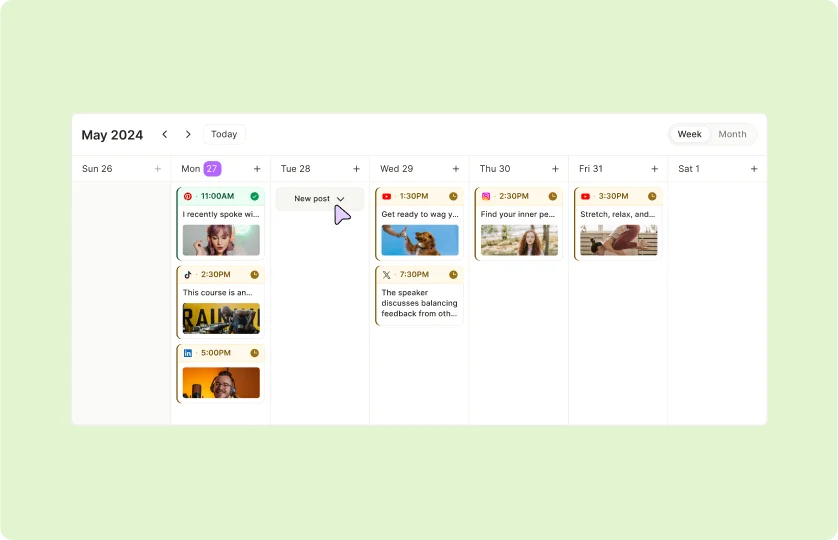
Visual Calendar for Better Organization

Plan your content strategy with an easy-to-use visual calendar. Keep track of your posting schedule and ensure your audience stays engaged with consistent updates.

Visual Calendar for Better Organization

Manage All Your Platforms From One Dashboard

Eliminate the hassle of managing each social media platform individually. Plan, schedule, and automate posts across Facebook, Instagram, TikTok, Pinterest, and more—all from one intuitive interface.

Start Scheduling Your Posts Now

Manage All Your Platforms From One Dashboard

Upload New Content Directly From Your Device

Easily create new posts by uploading videos, images, or other media directly from your local device. Enjoy the flexibility to craft content that resonates with your audience anytime.

Upload and Create New Posts Today

Upload New Content Directly From Your Device

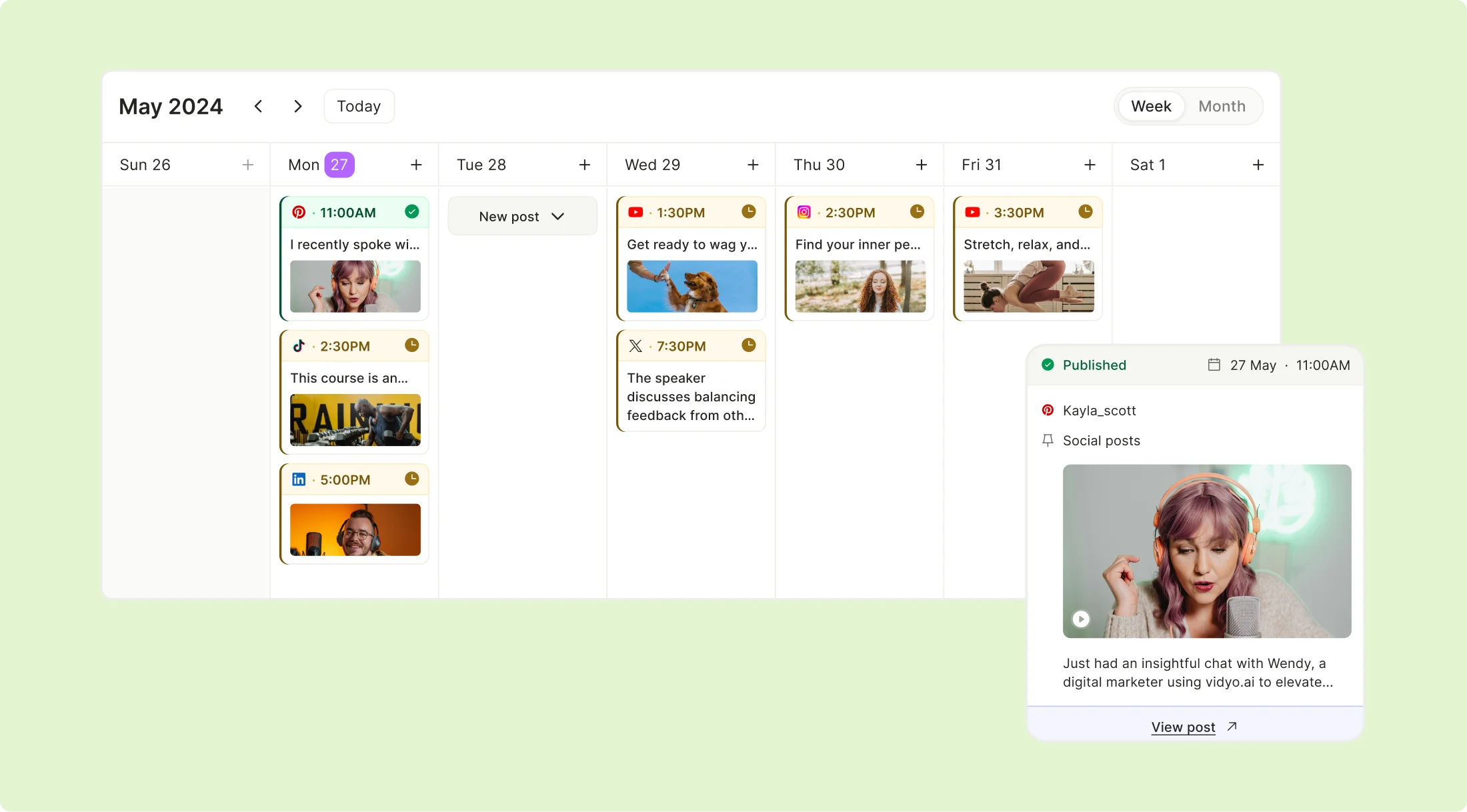
Plan Your Content in Advance With a Visual Calendar

Stay organized with a clear, easy-to-use calendar that lets you map out your posts. Ensure consistency in your posting schedule and keep your audience engaged with regular updates.

How to Plan Social Media Content in 4 Simple Steps

Plan Your Content in Advance With a Visual Calendar

How to Plan Social Media Content in 4 Simple Steps

  1. Connect Your Social Media Accounts

Begin by linking your Instagram, TikTok, Facebook, LinkedIn, YouTube, Pinterest or Twitter profiles to the platform. This one-time setup ensures seamless scheduling and cross-platform management.

  1. Upload Your Content

Import final videos directly or use the bulk upload feature for multiple posts. The platform supports all major formats, letting you centralize content before editing and scheduling.

  1. Schedule and Publish

Select optimal dates/times for each platform, then automate publishing. The system alerts you to conflicts and suggests high-engagement windows based on audience activity.

  1. Track and Optimize

Once you've published your posts, you need to understand how did it perform. So check social media analytics to understand your engagement rates, follower growth, etc.
FAQ

What platforms does the AI Content Planner support?+

The tool supports Facebook, Instagram, YouTube, TikTok, Pinterest, Twitter, and more.

Can I upload new content directly into the planner?+

Yes, you can easily upload videos, images, and other media directly from your device to create new posts.

How does the visual calendar help with organization?+

The calendar provides a clear overview of your posting schedule, helping you stay consistent and organized.

Can I integrate ongoing projects into my schedule?+

Absolutely! You can repurpose and schedule content from your existing projects to maximize their value.

Does the planner recommend posting times?+

Yes, the AI Content Planner suggests optimal posting times for each platform to maximize engagement.

Plan, Schedule, and Organize Your Social Media Content With Ease

Plan Your Social Media Posts