How to Turn Off Vanish Mode on Instagram
Learn how to use and master Vanish Mode on Instagram for private, disappearing messages. Discover how to turn it on/off and keep your chats secure!
If you’ve ever opened Instagram DMs only to see messages disappear as soon as you leave the chat, you’ve probably encountered Vanish Mode. It’s great for casual, off-the-record convos, but not so much when you need to keep track of important messages.
The last thing you want is a client’s request or a key detail vanishing into thin air. While Vanish Mode is meant to keep things private, it can be frustrating when you’re using Instagram for business and need a reliable chat history.
In this blog, we’ll walk you through exactly how to turn off Vanish Mode so you can keep your messages intact and avoid any unnecessary headaches.
What is Vanish Mode on Instagram?
Vanish Mode on Instagram allows users to send messages that disappear once they are viewed or when the chat is closed. When activated, the chat background turns dark, signaling that messages sent in this mode won’t be saved.
This feature is designed for private or temporary conversations, ensuring that messages don’t linger in chat history. It’s useful for sharing quick thoughts without leaving a digital trace. However, it’s not entirely foolproof—recipients can still take screenshots or record their screen, so be mindful of what you share.
How to Turn Off Vanish Mode on Instagram
Turning Vanish Mode on or off is simple and takes just a second.
1. Open Instagram and tap the Messenger icon in the top right.
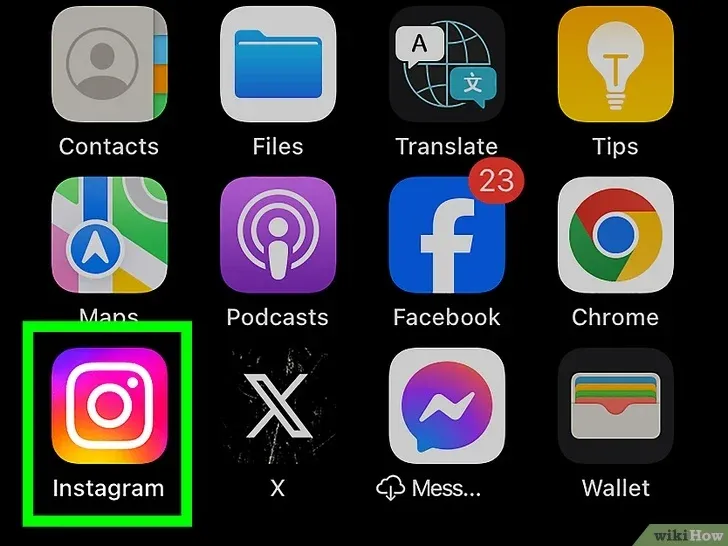
2. Select a chat.
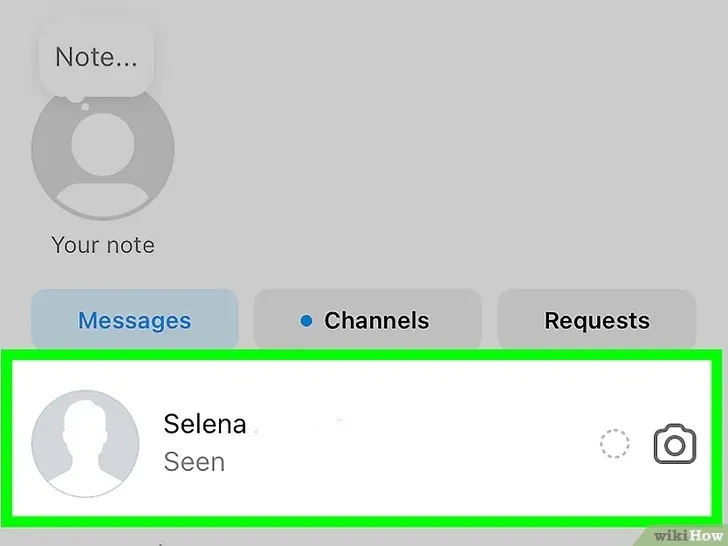
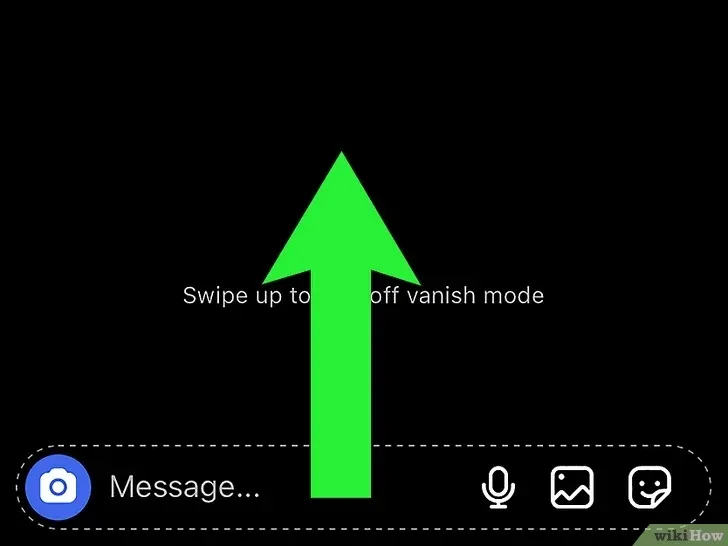
3. To turn on Vanish Mode: Swipe up in the chat until the background turns dark.
4. To turn off Vanish Mode: Swipe up again, and the chat will return to normal.
If someone messages you in Vanish Mode, Instagram will notify you. You can tap the notification to enter the chat, and you’ll also be alerted if they send a new message outside of Vanish Mode.
Things to Keep in Mind When Using Vanish Mode
- No Saving or Forwarding: You can’t copy, save, or forward messages sent in Vanish Mode. Once they disappear, they’re gone.
- Limited to Existing Connections: Only people you’ve already connected with can send Vanish Mode messages—no unsolicited requests.
- Instagram Accounts Only: Vanish Mode works only between Instagram accounts, not with Facebook Messenger or other social media platforms.
- Restricted for Some Accounts: Certain professional accounts can’t receive messages in Vanish Mode, so it may not work for every chat.
- Use With Trusted Contacts: While messages disappear, nothing stops someone from taking a screenshot or recording the screen. You’ll be notified if they screenshot, but they can still use another device to capture messages without Instagram alerting you.
Master Vanish Mode on Instagram
Vanish Mode is great for quick, private chats, but it’s not always ideal—especially for business conversations where keeping a record matters. Now that you know how to turn it on or off, you can use it wisely and stay in control of your messages.
And if you need any help creating or managing content for your Instagram, log in or sign up for quso.ai and let us help you take your Instagram marketing to the next level.
Turn this into 30 clips.
Drop your long video into quso and let IntelliClips do the editing.
Start clipping free