Learn How To Edit Instagram Reels and YouTube Shorts Like Alex Hormozi in Minutes
Edit your Reels and Shorts with efficiency and flair, emulating Alex Hormozi's style in minutes, only with quso.ai.
With a net worth surpassing $100 million and a social media following of over 2 million across platforms, Alex Hormozi has become a beacon for new entrepreneurs and content creators alike.
But what's truly remarkable is his journey from humble beginnings—producing videos in his closet with just a webcam—to becoming a content creation phenomenon.
Today, across YouTube, TikTok, and Instagram, millions of creators are feverishly searching for the secrets behind Hormozi's success, with terms like "Alex Hormozi style," "Alex Hormozi captions," and "Alex Hormozi editing" dominating search trends. The burning question on everyone's mind: How did he do it?
The answer lies in three key pillars that form the foundation of Hormozi's viral content strategy:
- Great Storytelling: Alex’s ability to weave compelling narratives that resonate with his audience is unparalleled.
- Innovative Video Editing: His distinctive editing style captures attention and drives engagement in a crowded digital landscape.
- Strategic Content Marketing: By adhering strictly to proven content marketing principles, Hormozi ensures maximum impact for every piece of content he produces.
In this guide, we'll dissect each aspect of Alex Hormozi's video-making strategy, offering you a roadmap to improve your content to new heights. But we won't stop at analysis—we'll show you how to implement these techniques using cutting-edge AI tools like quso.ai (previously vidyo.ai), making Alex Hormozi’s high-end production style accessible to creators at any level.
Alex Hormozi Videos: A Quick Look
Alex Hormozi's videos are characterized by their concise delivery, high-energy presentation, and visually dynamic editing.
These elements combine to create content that grabs attention and delivers value in a matter of seconds—a crucial factor in the world of Reels, Shorts, and TikTok.
1. Talking Head Style
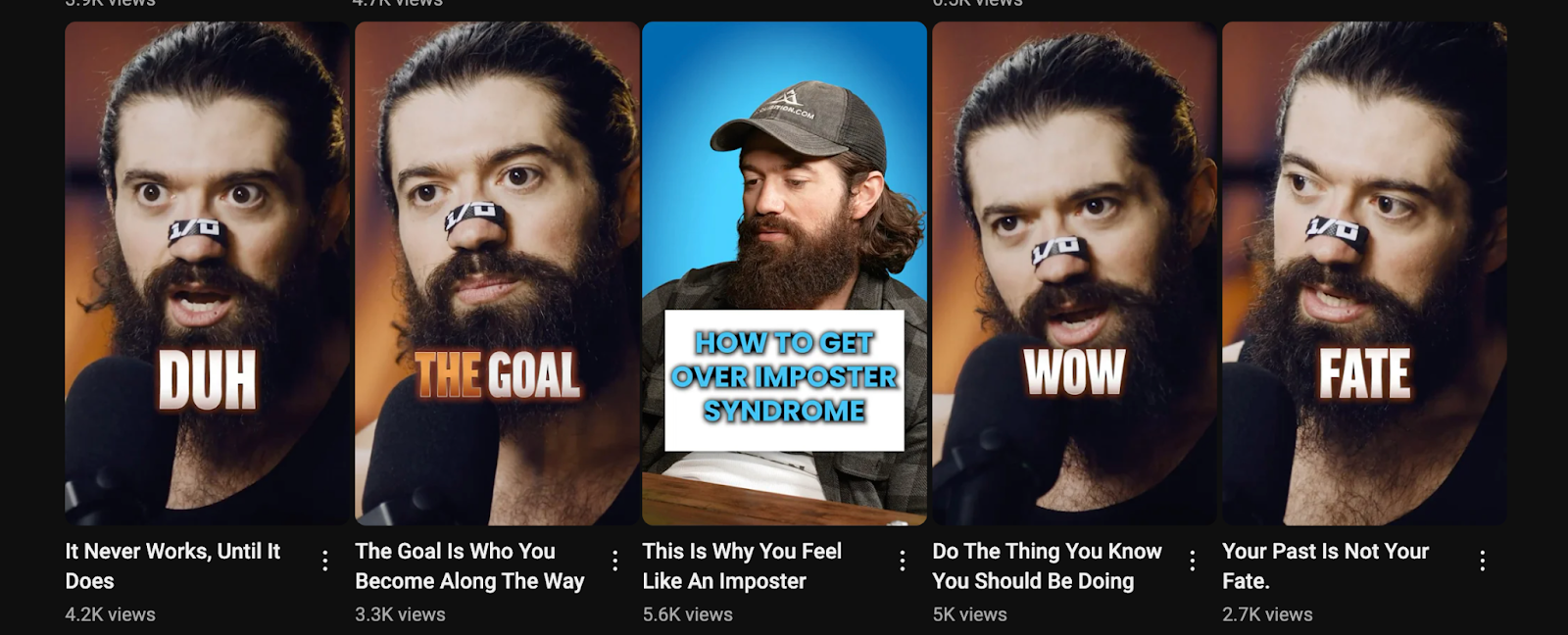
The foundation of Alex’s videos is the "talking head" style. This approach puts the focus squarely on the speaker, creating a sense of direct communication with the viewer. Here's why it works:
- Personal connection: By maintaining eye contact with the camera, Hormozi establishes a one-on-one feel with his audience.
- Authenticity: The unfiltered, direct-to-camera approach lends credibility and authenticity to his message.
- Simplicity: With minimal setup required, this style allows for quick and frequent content creation.
To implement this in your videos:
- Position yourself in front of a clean, non-distracting background.
- Ensure good lighting that illuminates your face evenly.
- Look directly into the camera lens to create that personal connection.
2. Dynamic Captions
One of the most striking features of Alex’s videos is the use of dynamic captions. These aren't just subtitles; they're an integral part of the visual experience.
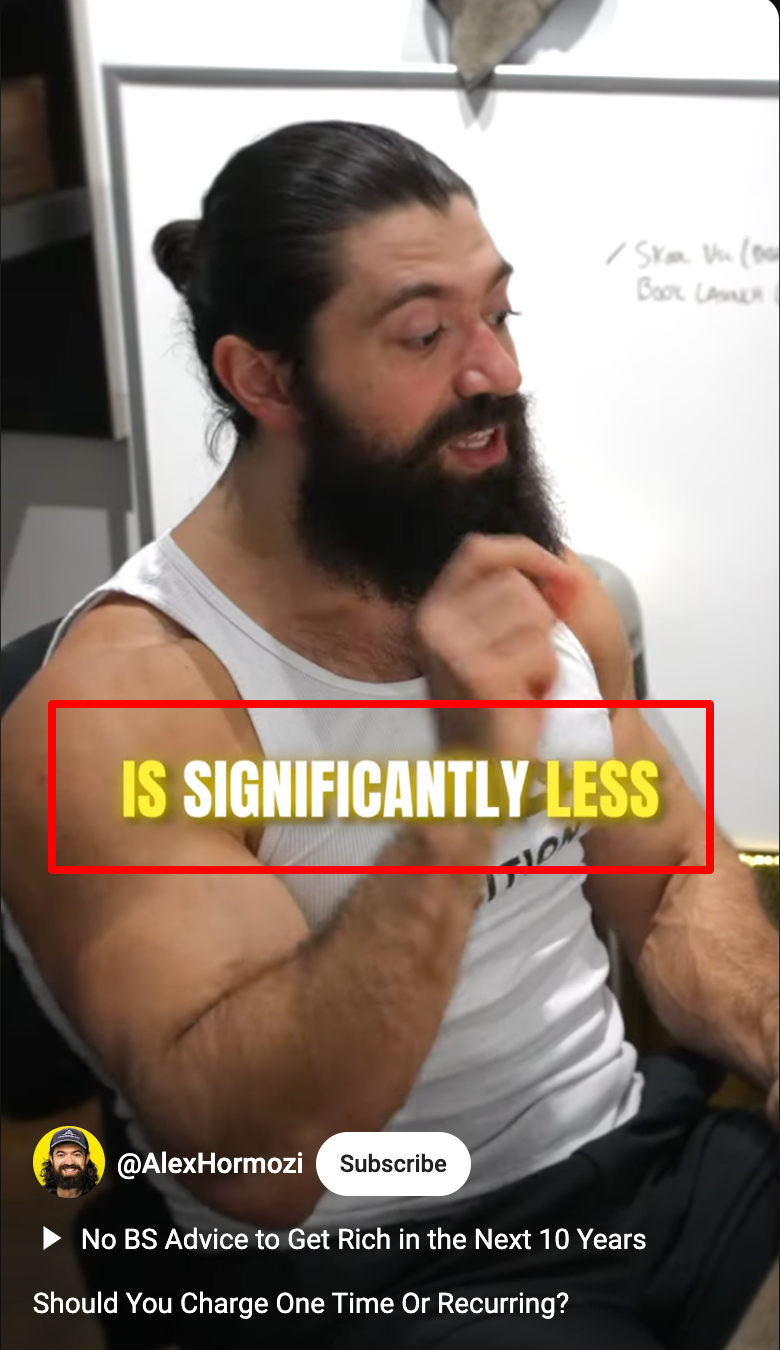
Here's what makes them effective:
- Emphasis: Key words and phrases pop up in larger fonts or different colors, drawing attention to crucial points.
- Pacing: Captions appear in sync with Alex’s speech, helping to maintain the video's rhythm.
- Accessibility: They make the content understandable even when watched without sound—a common scenario on social media.
To create dynamic captions:
- Transcribe your video accurately.
- Identify key words or phrases to emphasize.
- Use varying font sizes, colors, and animations to make important points stand out.
- Sync the appearance of captions with your speech for a seamless viewing experience.
3. Zoom Effects
Alex frequently adds subtle zoom effects to maintain visual interest and emphasize key points. This technique:
- Adds dynamism: Even in a static talking head shot, zooms create a sense of movement.
- Guides attention: Zooming in can highlight important facial expressions or gestures.
- Emphasizes points: A well-timed zoom can underscore a crucial statement or revelation.
To implement zoom effects:
- Plan your zooms in advance, aligning them with key points in your script.
- Use subtle, slow zooms for a professional look—avoid abrupt or exaggerated movements.
- Alternate between zooming in and out to maintain visual variety.
Advantage of Using AI to Edit Videos
While mastering these techniques manually can be time-consuming, AI-powered tools like quso.ai (previously vidyo.ai) are revolutionizing the editing process. These tools offer several benefits:
1. Time-saving
AI dramatically reduces the time needed to create professional-looking videos. What once took hours can now be accomplished in minutes, allowing creators to focus more on content ideation and audience engagement.
2. Consistency
Automated tools help maintain a consistent style across multiple videos, crucial for brand recognition and audience retention. AI ensures that your visual elements, transitions, and captions remain uniform across your content library.
3. Accessibility
Even those without extensive editing skills can create polished content. AI-powered interfaces are often intuitive and user-friendly, lowering the barrier to entry for aspiring creators.
4. Scalability
AI tools make it feasible to produce high-quality videos at a higher frequency, essential for maintaining a strong social media presence and algorithm favor.
5. Advanced Effects
Many AI tools offer sophisticated effects like dynamic text animation and automatic zoom, mimicking the Hormozi style without requiring advanced editing skills.
6. Adaptive Learning
Some AI editors learn from your preferences over time, becoming more efficient and tailored to your style with each use.
7. Multi-platform Optimization
AI can automatically adjust your videos for different social media platforms, ensuring optimal performance whether on Instagram, TikTok, or YouTube.
8. Cost-effective
Compared to hiring professional editors or investing in expensive software, AI tools often provide a more budget-friendly solution for consistent, high-quality output.
How to Edit Reels and Shorts Using quso.ai (previously vidyo.ai)
You can create Instagram reels and YouTube Shorts like Alex Hormozi will take minutes
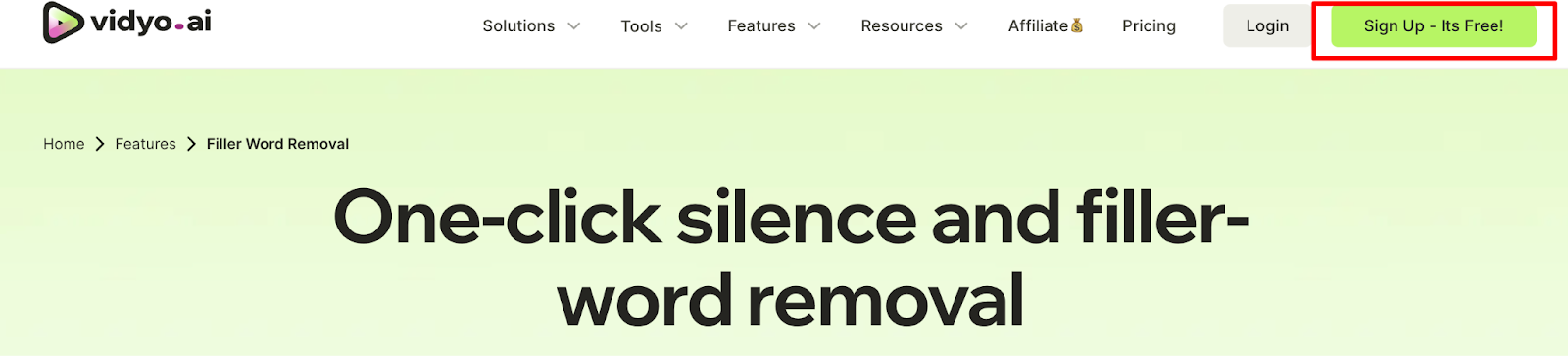
Step 01- Go to quso.ai (previously vidyo.ai) and sign up for free
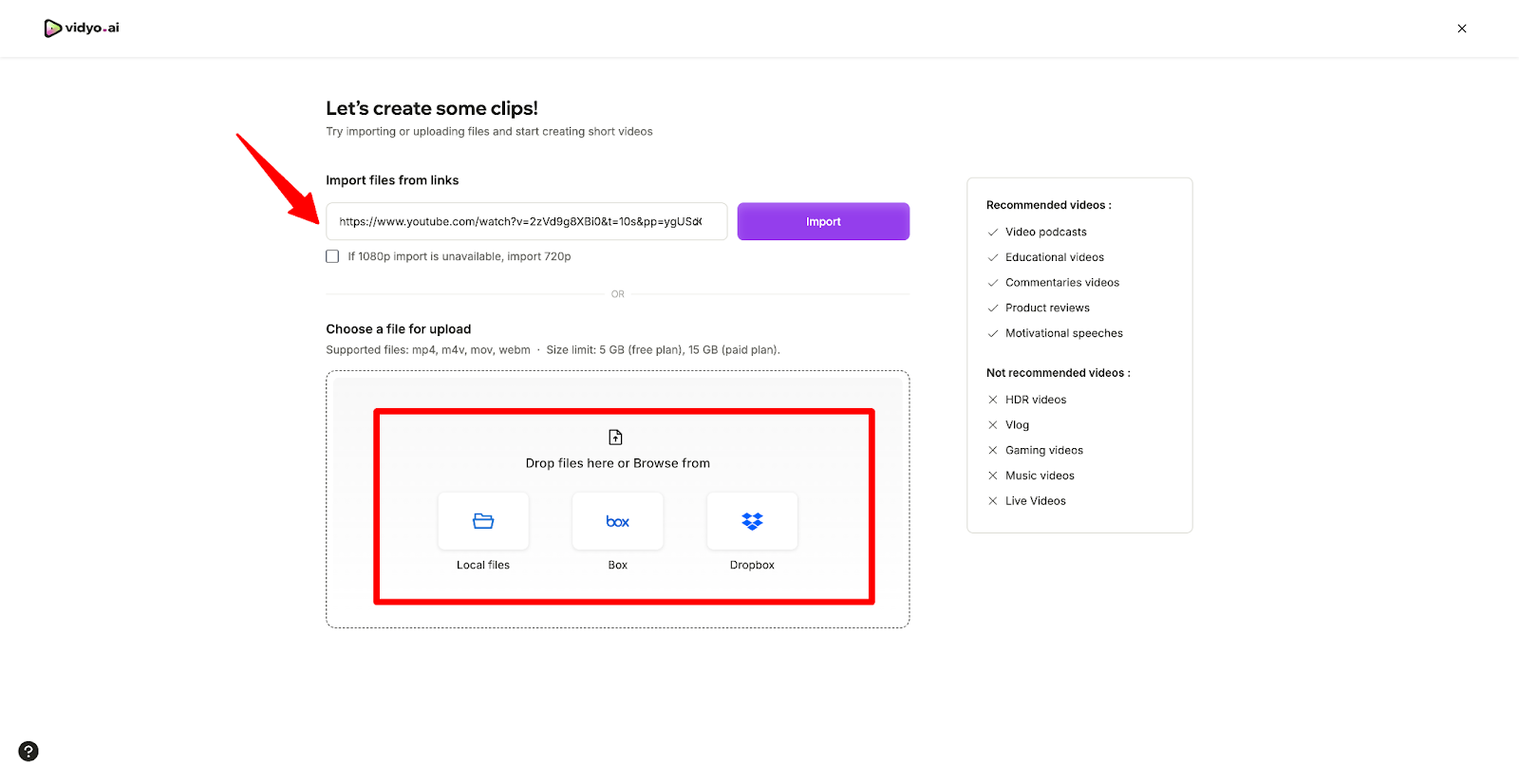
Step 02- Import the video by uploading a file from your computer or link to a video you already have on YouTube
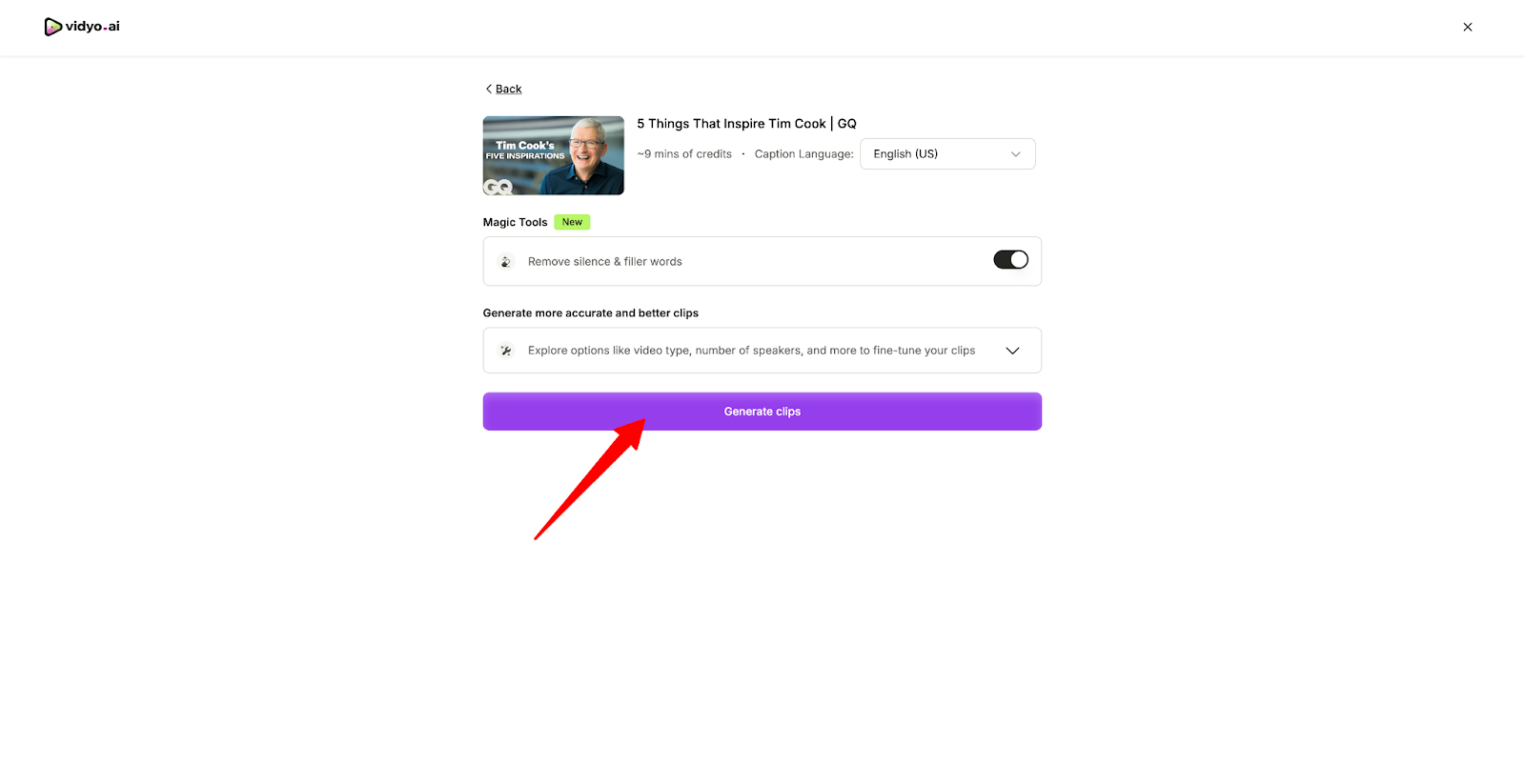
Step 03- Click on generate clips
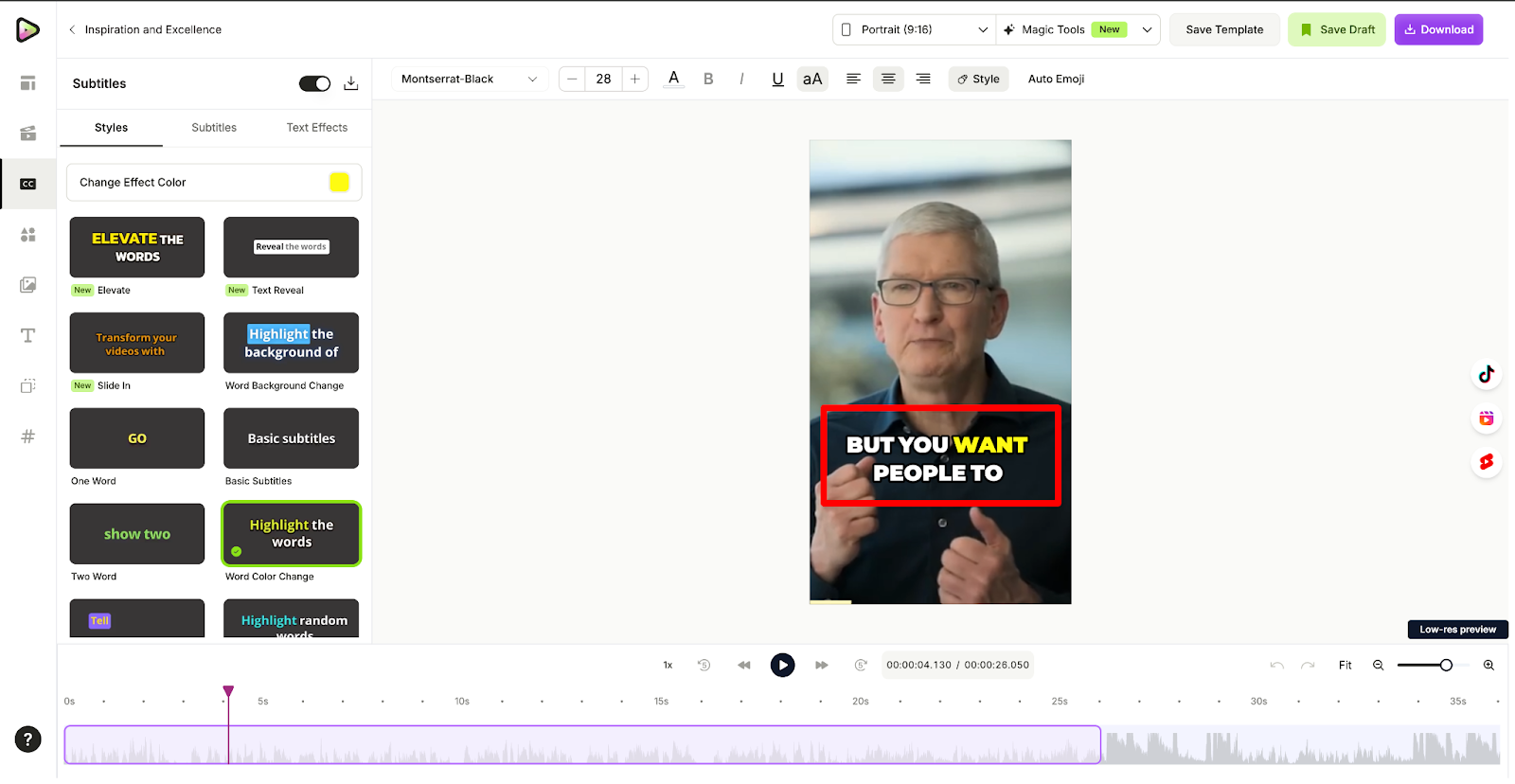
Step 04- Once processing is done open the project select the short video you want to work on inside the editor
Step 05- Finally you have a couple options to customize things like font, color, caption style, position to make it look like Alex Hormozi
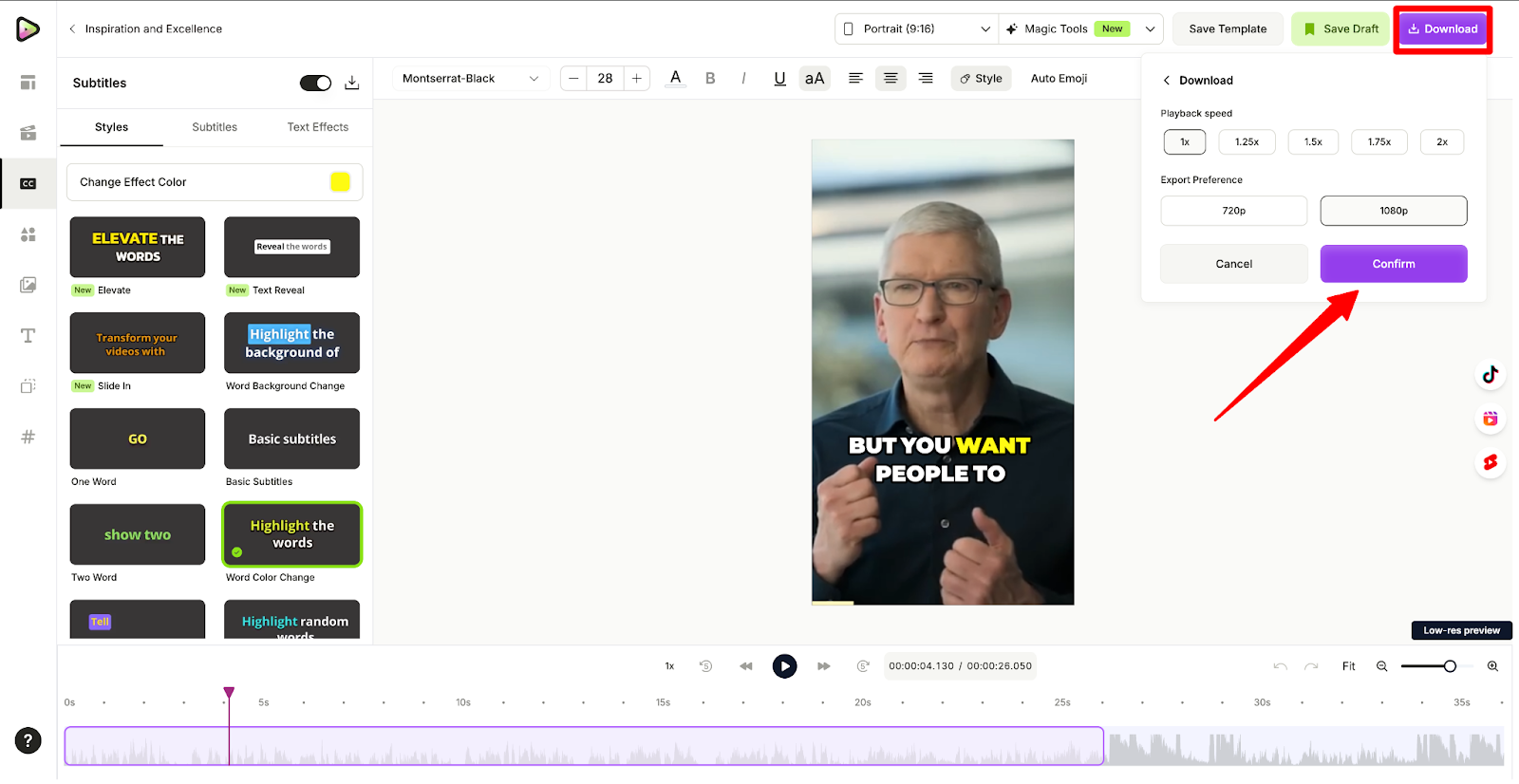
Step 06- That's it download the video and you are good to publish it
Wrapping Up
quso.ai (previously vidyo.ai) leverages AI to transform your long-form videos into a goldmine of viral short-form content with just one click.
Our intelligent algorithms curate and generate high-quality clips primed for virality, dramatically increasing your content's value and reach.
By producing multiple attention-grabbing shorts simultaneously, quso.ai (previously vidyo.ai) maximizes your output while minimizing effort.
Each clip is automatically enhanced with:
- Dynamic captions and emojis for increased engagement
- AI-driven visual layouts that captivate viewers
- Smooth transitions ensuring narrative coherence
The result? A suite of short videos expertly crafted to grab attention, maintain viewer interest, and boost your chances of going viral across platforms.
With quso.ai (previously vidyo.ai), you're not just repurposing content—you're unleashing its full potential to dominate the short-form landscape. Sign up now!
Frequently Asked Questions (FAQs)
1. What is Hormozi style in video editing?
Hormozi's videos harness animations, b-roll, and other images to highlight and reinforce what he's talking about. His editing style is characterized by: Dynamic captions. Emojis. Zoom ins and outs.
2. What is Hormozi font?
Alex Hormozi actively uses Montserrat BOLD in his videos
Turn this into 30 clips.
Drop your long video into quso and let IntelliClips do the editing.
Start clipping free