How to Block People on YouTube
Learn how to block people on YouTube to protect your channel from trolls, spam, and unwanted comments, keeping your content safe and professional.
If you’re running a YouTube channel for your business and consistently posting videos, you’ve probably had your fair share of trolls, irrelevant comments, or even blackhat competitors trying to hijack your space. It’s frustrating to see your hard work get drowned out by all the noise.
And let’s not even get started on the promotional comments that seem to pop up out of nowhere. Instead of focusing on building a loyal community, you’re left sifting through distractions, which definitely isn’t fun.
But don’t worry, there’s a solution to this! In this blog, we’ll show you exactly how to block people on YouTube—whether it’s trolls, spammy comments, or blackhat competitors—so you can keep your channel clean, focused, and ready to thrive.
How to Block People on YouTube
How to Block People on YouTube via Computer
Step 1: Go to YouTube Studio
- Log into YouTube, click your profile picture in the top right corner, and select YouTube Studio.
- This is where you can manage all your videos and comments.
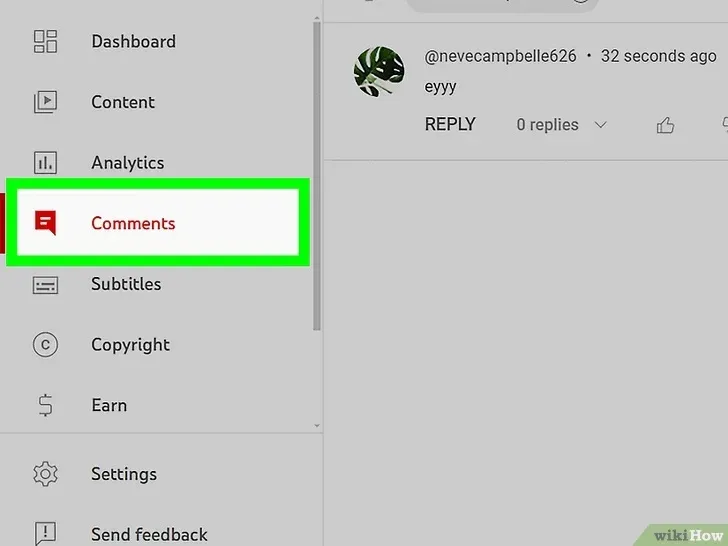
Step 2: Click on 'Comments'
- On the left sidebar, click on Comments to view the comments on your videos.
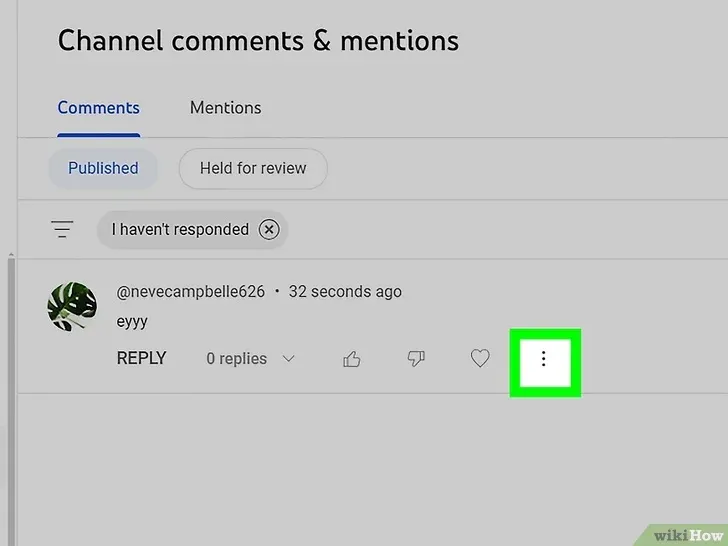
Step 3: Click the Three Dots Next to the User
- Find the comment from the user you want to block.
- Click the three-dot menu icon next to their comment.
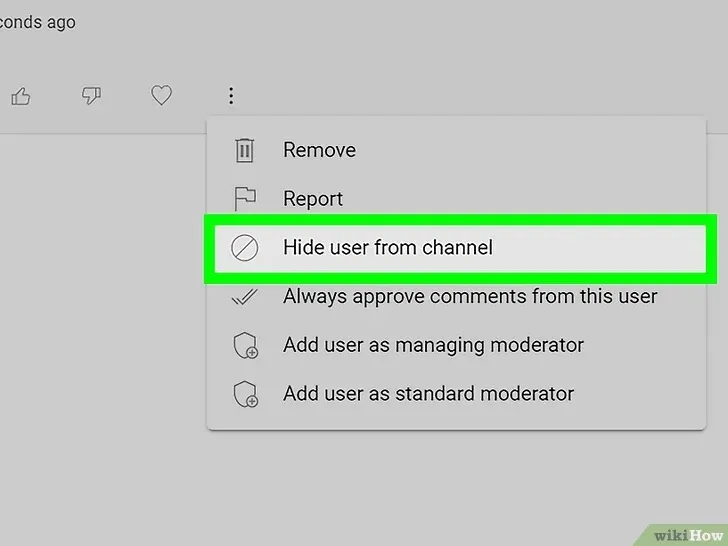
Step 4: Select 'Hide User from Channel'
- From the menu, select Hide user from channel to prevent their comments from appearing on your videos.
- They’ll still be subscribed, but their comments will be hidden from your viewers.
How to Block People on YouTube Live as a Viewer
Step 1: Open YouTube and Watch a Live Stream
- Open YouTube on your computer, phone, or tablet and start watching a live stream.
- You can block users during the live stream, but this action only applies to that session. To block them permanently, block them from your channel.
Step 2: Tap the Message from the User You Want to Block
- On a computer, hover over the message from the user.
- On mobile, tap the message.
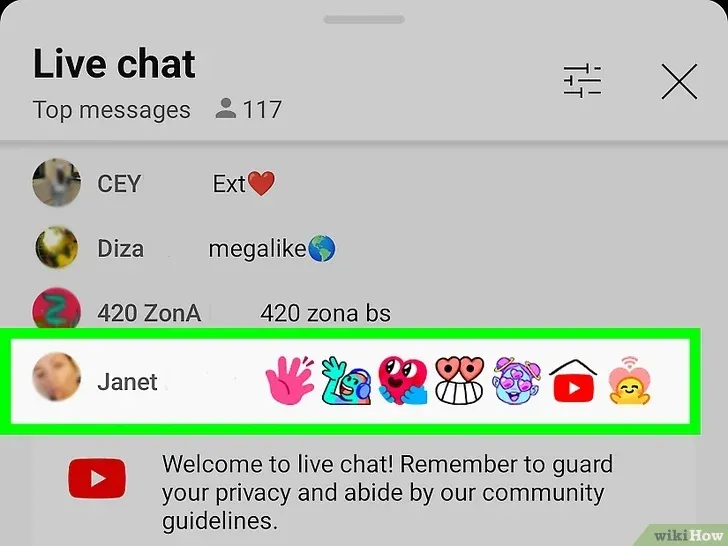
Step 3: Click or Tap 'Block'
- Click or tap Block to hide their comments from your live chat.
- This will also hide your comments from them in the live chat.
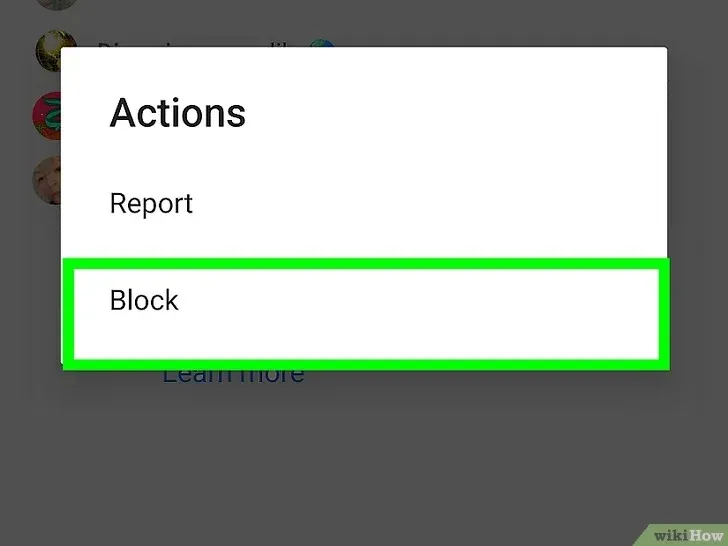
How to Block People on YouTube Live as a Creator
Step 1: Sign in to YouTube Studio or Live Control Room
- Sign in to YouTube Studio or the Live Control Room if you’re hosting a live video.
- If your video is set to premiere, you can moderate and limit the live chat from here.
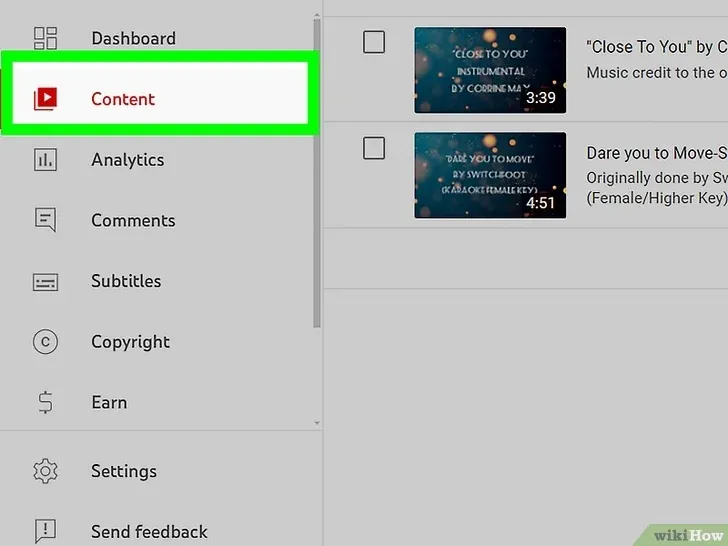
Step 2: Click 'Content'
- On the left side of your screen, click Content to see your live videos.
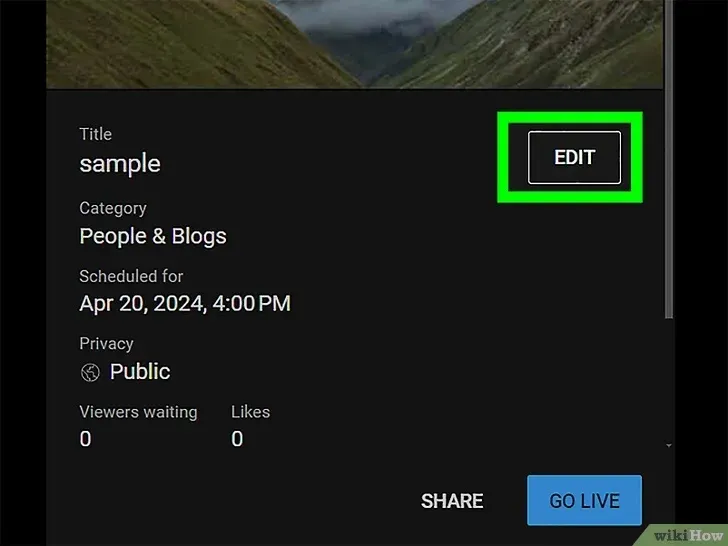
Step 3: Click the Edit Icon
- Below the live video, click the pencil-looking icon (Edit) to access video settings.
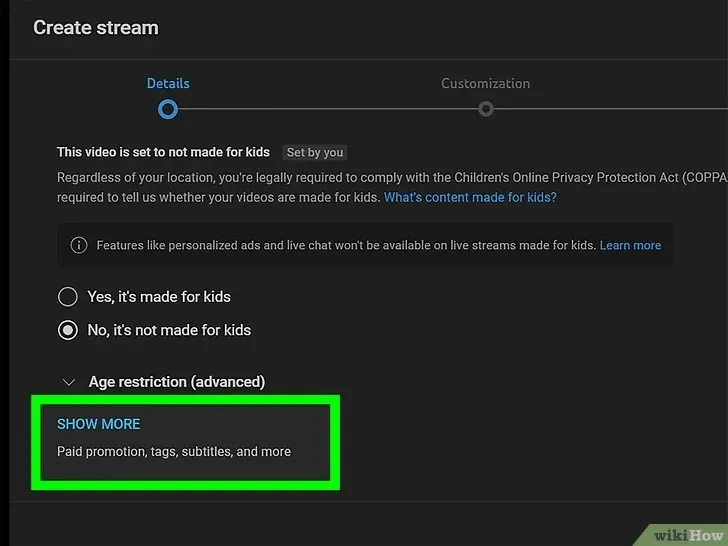
Step 4: Click 'See More'
- Scroll down and click See More to reveal additional options.
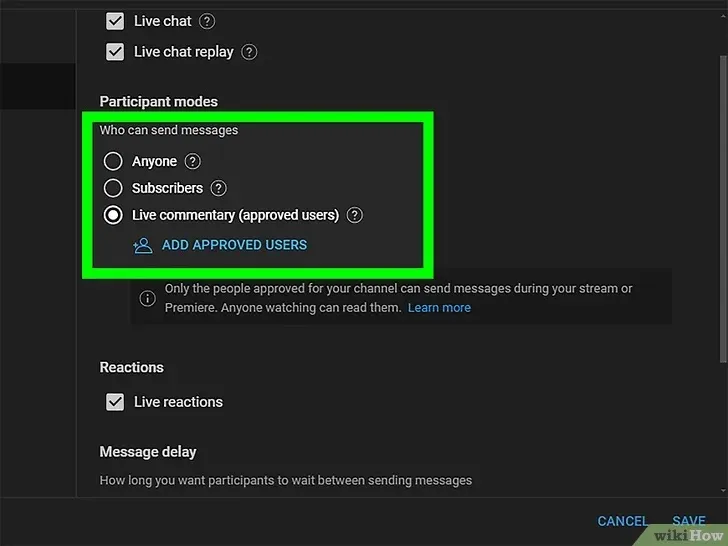
Step 5: Choose Who Can Send Messages
- Decide who can chat in your live stream. You can set it so only subscribers or members can send messages or approve specific users.
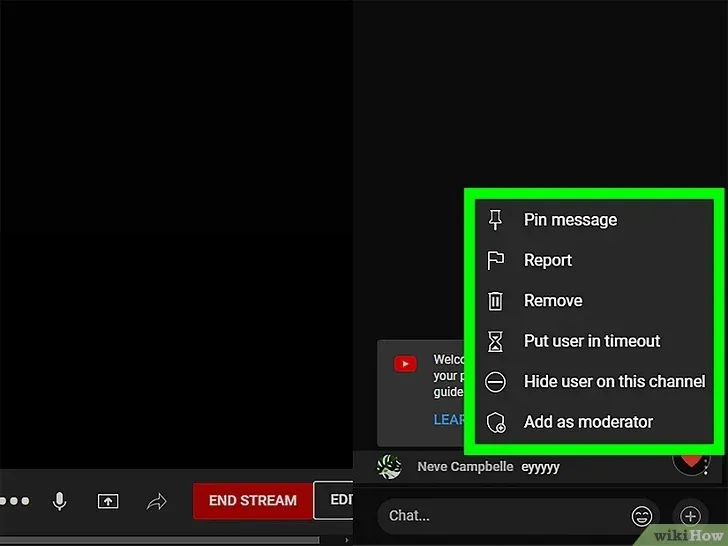
Step 6: Delete Messages During a Live Chat
- On a computer, press Alt/Option to pause the chat. Then, click the three-dot menu to delete, place the user in timeout, or hide their messages from the chat.
What Happens If You Block a User in YouTube?
Blocking a user on YouTube has a few important effects that help you manage your channel and community:
1. They Can't Create Clips from Your Videos or Live Streams
While the blocked user can still watch your public videos, they won't be able to create clips from your content. This means they can’t share short sections of your streams or videos for their own use.
2. They Won't Be Notified
Blocking or hiding a user doesn't send them a notification, so they won't know they've been blocked.
3. They Won't Be Able to Comment on Your Videos
Even though they can watch your public videos, any comment they try to leave won’t be posted. If by any chance it does appear, it will be removed within 48 hours. Blocking a user ensures that they cannot interact with your content in this way.
Leverage Blocking on YouTube to Keep Your Account Safe & Professional
Blocking users on YouTube is a powerful tool for maintaining a positive, professional atmosphere on your channel. Whether you’re protecting your brand from trolls, spam, or unwanted comments, using the block feature ensures that your content stays focused on engaging with your real audience.
Now that you know how to block users effectively, you can confidently manage your YouTube channel and keep it free from disruptions.
And if you need any help creating or managing content for your YouTube, log in or sign up for quso.ai and let us help you take your YouTube marketing to the next level.
Turn this into 30 clips.
Drop your long video into quso and let IntelliClips do the editing.
Start clipping free